
Today, I am sharing this adorable free layered Caravan SVG File For Scrapbooking and cake toppers. This layered Caravan SVG file is great for creating caravan and camping themed artwork with many cutting machines such as LOKLiK, Cricut machines, Silhouette Cameo, xTool and Glowforge.
The beauty of this fabulous design is that our free Caravan SVG cut file can be used as a multi-layered file. Or use one SVG layer for the t-shirts and backpacks. The great thing is you can also cut these files smaller on your Cricut Joy. Plus, upload the files to Silhouette Studio.

This post may contain affiliate links. Which means I may receive a small commission if you click a link and purchase something that I have recommended at no extra cost to yourself. As an Amazon Associate in the Amazon Services LLC Associates Program , Cricut and Glowforge associate, I earn from qualifying purchases.
What You Will Find Here
Craft Project Ideas For Our Layered Caravan SVG
- Cards
- Use With Vinyl For Wall Art
- Caravan Decals
- Hanging Wooden Sign With xTool
- Framed Caravan Art
- Making Sublimation Mugs
- Transferring onto Embroidery Hoops For Holiday Themed Embroidery Projects
- Cute T-shirts and Baby Onesies for Babies 1st Caravaning Trip
- Decoupage Cushions
- Scrapbooking Pages
- Accessories Such As Water Bottles And Bags

How To Make Our Free Layered Caravan SVG Files
What You Will Need
- Cricut Maker, Cricut Explore Air Or Cricut Joy
- Weeding Tools
- Brayer
- Fine Point Blade
- Card Stock, White, Blue, Green, Pink, Orange and Multi Coloured for the Bunting
- Glue, I use Cosmic Shimmer Acrylic Glue
- HTVRont Acrylic Paint Markers
Making Our Layered Caravan File On Cricut
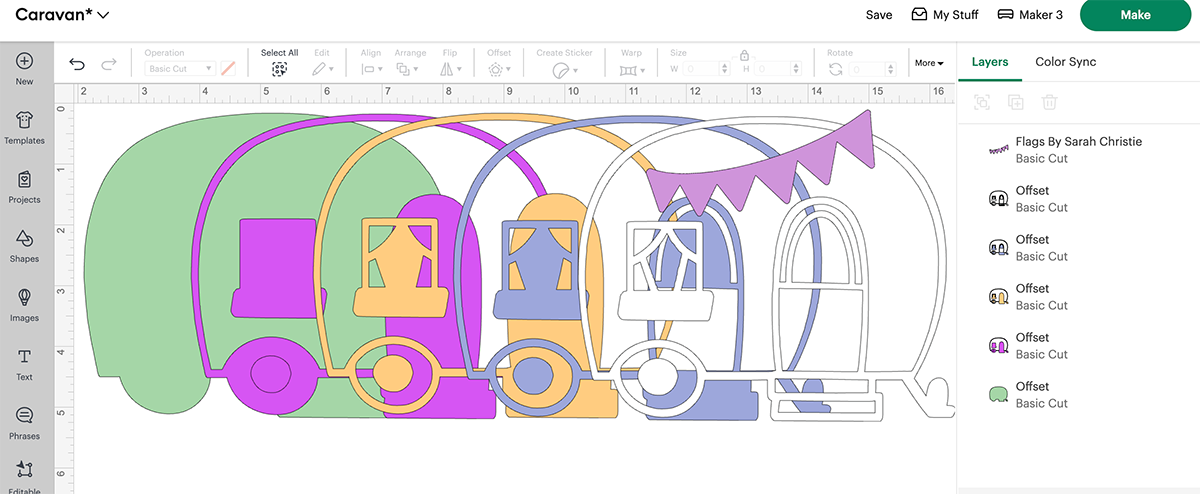
Upload the files to Cricut Design Space, (Click here to see how to upload to design space) once uploaded colour your files so you can see the designs on screen they way they will cut as it makes it easier when cutting the files.
Line up all the layers of your free-cut files in design space so the files line up correctly and are exactly the same size. Remember you are using five colours, plus the bunting, have the card stock ready to hand and really think about the colours and layers….
- White Glitter
- Blue
- Orange
- Pink
- Green
- Patterned for bunting
Cutting Your Free SVG Caravan Cut Files On Cricut
When you send your Caravan SVG/PNG files to your Cricut Maker, Explore or Joy to cut, ensure you use your brayer to roll the paper, vinyl or card to adhere to the mat. Movement will affect the cut.
How To Build Your Caravan SVG Cut Files
I have suggested an order on the files, which makes sense. Of course you can change the colours to fit your decor or scrapbooking theme.
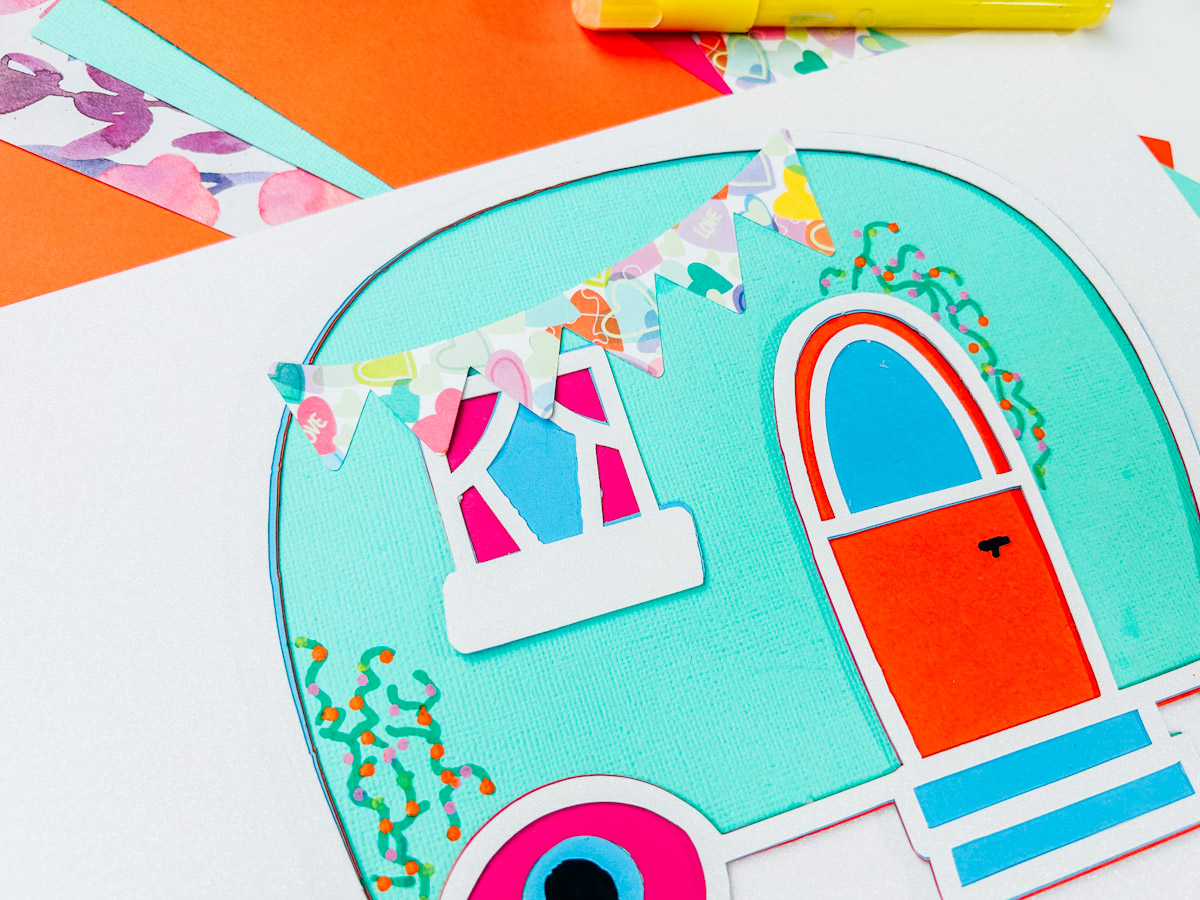
Put the windows to one side. Now, place the front white glitter layer face up, add glue to the back, and attach the blue layer; next, add the orange, pink, and green. Next, build the window; you have three layers: the back blue layer, then pink, and lastly, white glitter and glue into position. Lastly, add the flag bunting and use acrylic paint pens to draw on flowers and vines.

Note if you are using the xTool P2, Glowforge, you need SVG files to cut the image out of wood or acrylic. Or PNG or SVG to engrave. You can use these free downloads for personal use or see my commercial license page for more info on making products to sell for commercial use.
These files can also be uploaded to Brother Cut N Scan, Silhouette Designer Edition and the free Software version of silhouette, plus glow forge and xTool.
How To Get Your SVG/PNG Layered Caravan File
Click here or on the image below to get your free downloads in the form of your Caravan SVG/png files from our shop. You won’t get a physical product, just a single zip file with the following file types inside: SVG and PNG files with a transparent background. And follow these instructions to add to Cricut Design Space.
If You’re Having Problems?
Check out my trouble shooting page, hopefully it will answer any questions you may have.
Tips And Advice For Using Your Download For Cricut
Also please do pop over to these social media platforms; Instagram, TikTok Tok and Pinterest and say hi, and if you make a project tag me! I love seeing everyone else’s makes and chatting crafting. I could do that all day.
