
Today I am sharing our Easter SVG Numbers which are perfect for creating Easter cards, crafts and DIY decorations with Cricut, Silhouette, Glowforge and xTool.
I adore that I can cut my Alphabets and numbers in card stock, wood, vinyl and acrylic. Thus making them versatile for all types of craft projects. If you love Easter and Bunnies then get the full alphabet over at the Cricut Craftfest HQ.

This post may contain affiliate links. This means I may receive a small commission if you click a link and purchase something that I have recommended at no extra cost to yourself. As an amazon, Cricut and Glowforge associate, I earn from qualifying purchases.
What You Will Find Here
Craft Ideas For Easter SVG Numbers For Cricut And Glowforge
- Easter Themed Cake Toppers
- Decorations made with wood with Glowforge or xTool
- Easter Cards
- Scrapbooking Layouts
- Easter Bunny Place Settings

Can I Cut These Easter SVG Numbers Free Numbers On The Cricut Joy?
Yes, our Easter SVG numbers can be cut on the Cricut Joy in card and also vinyl.
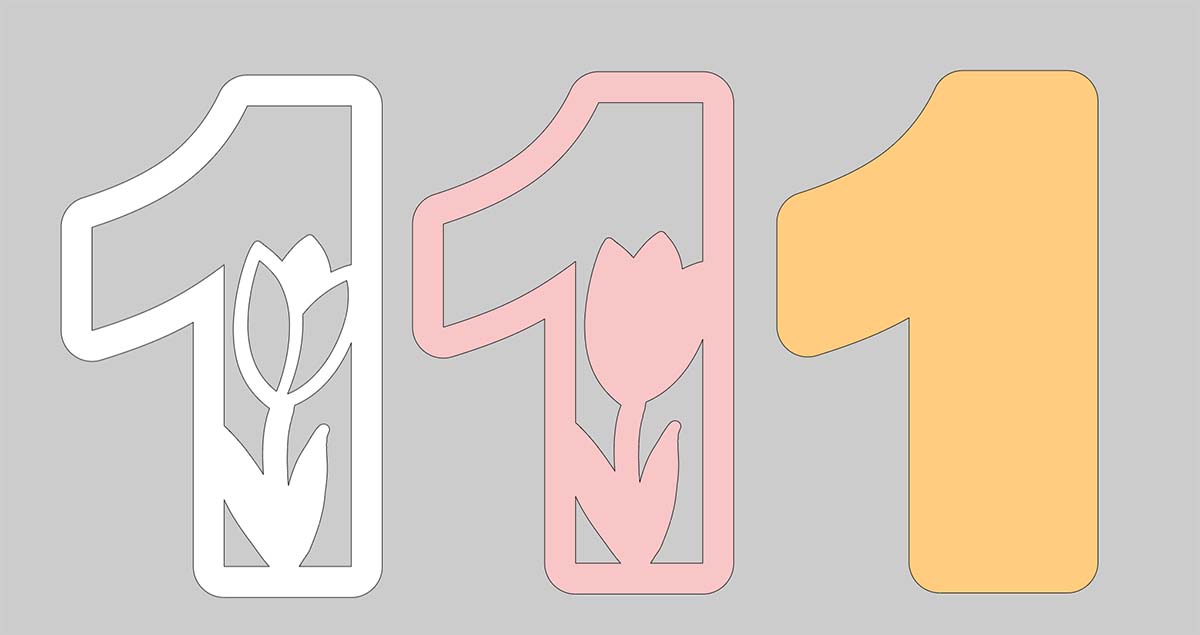
How To Layer Your Easter Numbers In Cricut Design Space
Simply duplicate your number and click the contour tool, now remove any contours for this layer.

When you are happy, duplicate the contoured layer and remove all the contours. This will give you a solid back layer.

Cutting Your Easter SVG Numbers On Cricut
When you send your Easter SVG Numbers files to your Cricut to cut, ensure you use your brayer to roll the paper, vinyl or card to adhere to the mat. Movement will affect the cut.
When your Cricut has finished cutting, flip the mat over and reverse weed. I find this works better as you can bend the mat slightly and gently peel the letters away.
Where To Get The Rest of the Alphabet
The Easter Alphabet is part of the all-access pass, you can grab it here.

If You Want To Use Our Easter SVG, PNG Free Files For Crafting?
Click here or the image below to get your free downloadable Easter SVG Number files from our shop and follow these instructions to add to Cricut Design Space if you are using a Cricut Machine. Note if you are using Glowforge or xTool you need SVG files to cut the image out of wood or acrylic. Or Png or SVG to engrave.

Tips And Advice For Using Your Download For Cricut
This alphabet is also perfect to make cards and cake toppers with your Cricut, check out my guides below.
- How To Add Fonts To Cricut Design Space
- How To Remove Backgrounds On Illustrator
- Cricut Design Space Guide
- How To Slice And Weld In Cricut Design Space
- How to upload to Cricut Design Space
- Using Iron On Vinyl
- Where Else To Get Free SVG Files
Also, please do pop over to TikTok or Instagram, and give me a follow and if you make a project, tag me! I love seeing everyone else’s makes and chatting crafting. I could do that all day! This is also where I share videos of my makes.
