
As the 2024 Olympics creeps nearer, it was only fitting to create a dedicated free Printable PNG Olympics Alphabet and Number Set. Perfect for creating Olympic-themed party decorations and banners.
Also, if you are a regular reader, you will know that I love printable magnet paper. It’s perfect for creating mini travel kits, fridge magnets, and cruise doors. Try printing your home team letters onto magnetic paper and popping on the fridge. This alphabet is ideal for incorporating Olypics-themed learning into homeschooling or taking a magnetic board on your travels.

This post may contain affiliate links. Which means I may receive a small commission if you click a link and purchase something that I have recommended at no extra cost to yourself. As an amazon, Cricut and Glowforge associate, I earn from qualifying purchases.
What You Will Find Here
Project Ideas For My Free Printable Olympics Clip Art PNG Alphabet
- Printed letters and words
- Olympics Parties
- Planner Stickers
- Olympics Themed Cards
- Use Pegs And String For Hanging Olympic Banners
- Framed Art
- Themed Fridge Magnets and Maths Games
- Olympics Bingo Games
- Sublimation Mugs
- Sublimation T Shirts
- Door Decals And Name Signs
- Scrapbooking Page Layouts

You Will Need
- Printer
- Card Stock, or Printable sticker paper, printable vinyl, white A4 card or Printable Magnetic Paper
- Cricut Maker, Brother Scan N Cut, Silhouette or xTool if you plan to use a cutting machine
- Or Canva
- Cutting Mat
- Cricut Tool Kit
- Or Any Sublimation Ink, Tools and Blanks.

How To Upload Your Printable Olympics Clip Art Alphabet Letters And Numbers To Cricut Design Space
To get our free unlimited downloads, start by clicking upload in the bottom left-hand corner of Cricut Design Space; a box will appear where you can select browse. Now find your download file and choose the PNG folder. These are the files you will need for design space.
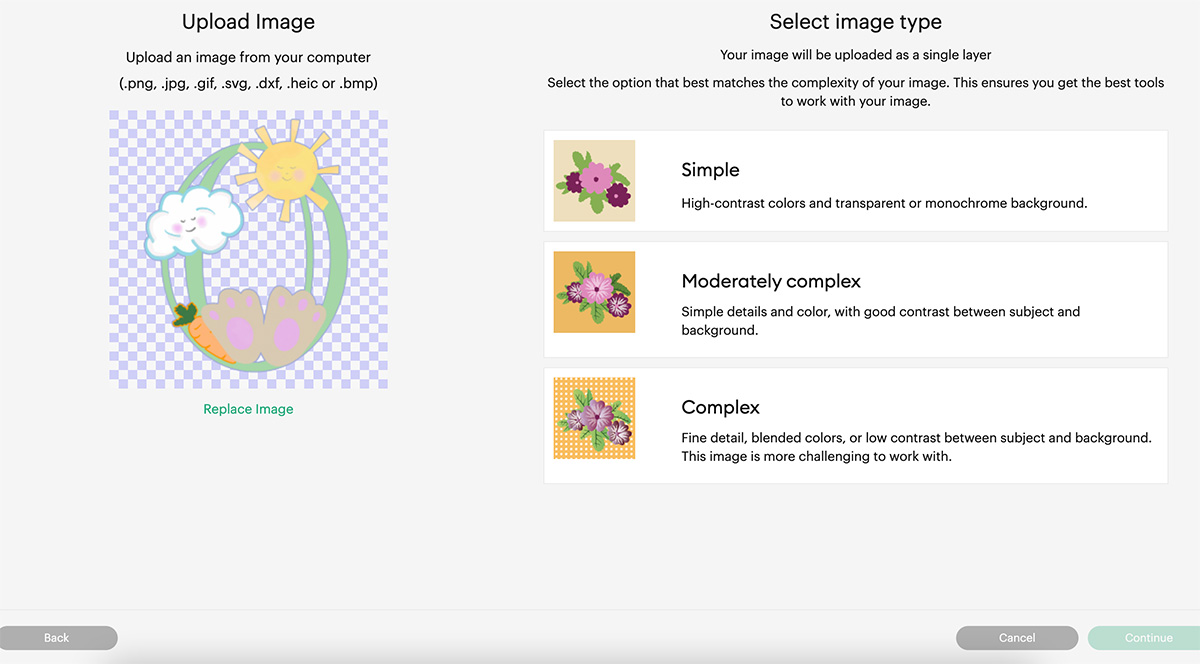
Select the printable Olympics Clip PNG Alphabet letters and numbers you require one at a time. When you choose a letter, you will see the box below. Select complex and click continue in the bottom right corner.
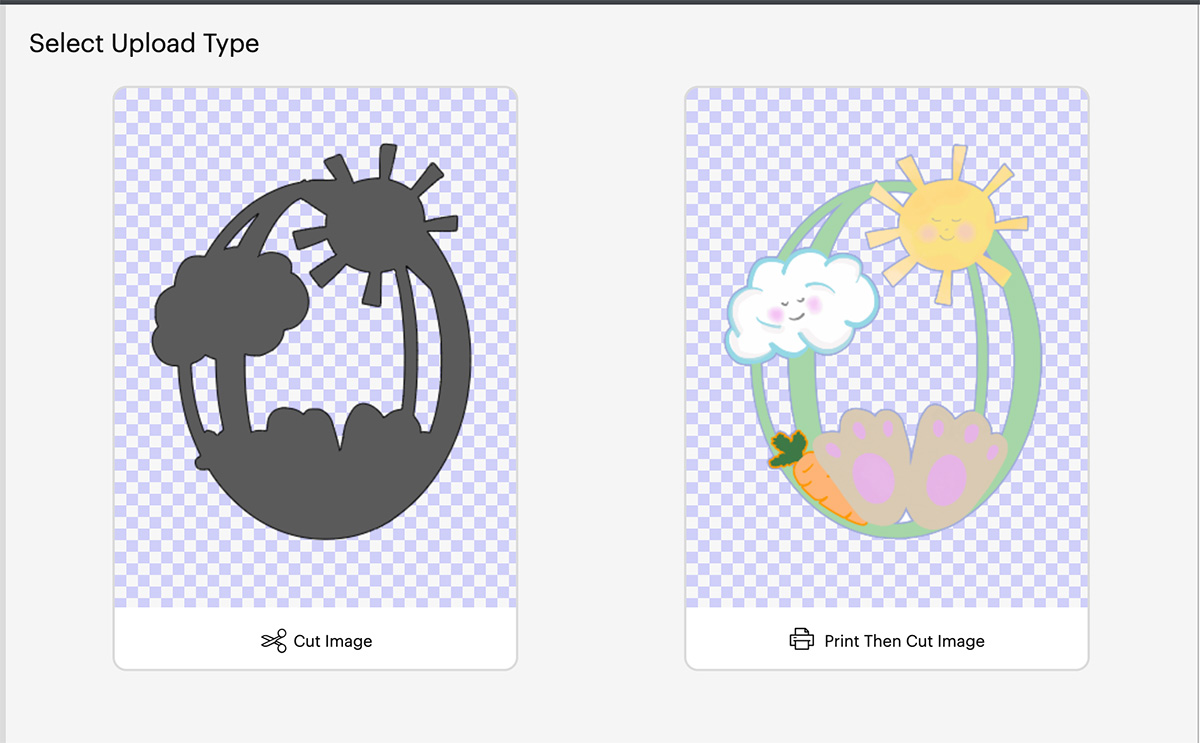
Next you’ll be taken to a screen where you can remove the back of the file, however I have done this for you, click continue in the bottom left corner. Now you will get the choice to save your printable alphabet as a cut file or a print then cut file. You must save as print then cut.
You can now bulk-select the letters and numbers for your Olympics project to pull into Cricut Design Space.
How To Print Your Olympics Clip Art PNG Alphabet With Cricut
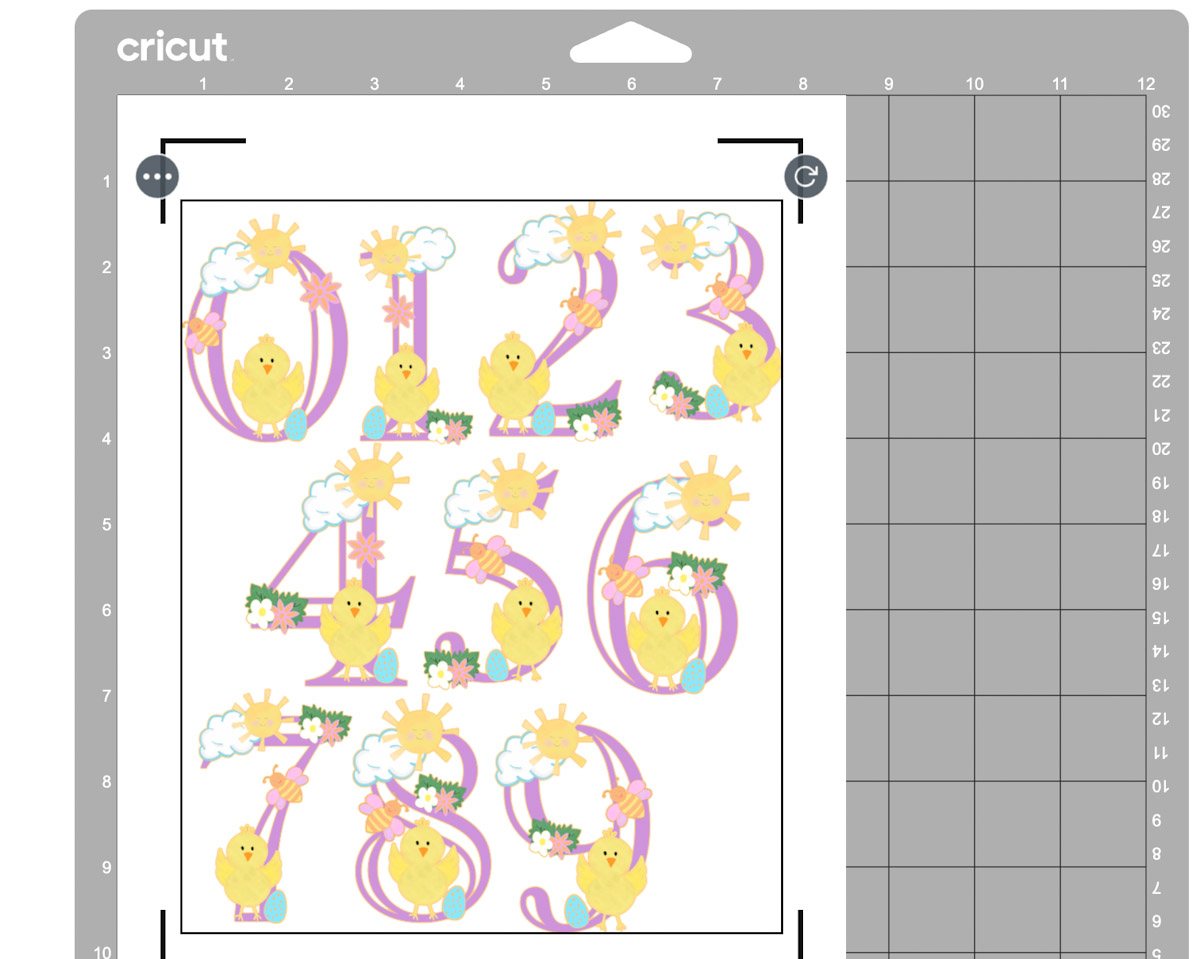
Once you are happy with your choice and sizes, click on the corner and drag the attached images until they are the correct size to print and cut. They need to be 6.75.x 9.25 or less to use the print and cut feature.
I find arranging your letters or numbers together, selecting all and flattening the whole lot together so it is one big image is the best way to avoid wastage. As long as you have white space between the letters, they will still be cut separately. This way you can move letters around to fit more into your printing space. See below on the image of how I have organised my letters here.
Now click make it. This will take you to the print preview page. Ensure you feed your card stock or sticker paper the correct way into the printer and press print. When you unload your printer, avoid touching the black guideline around the corner of the printed images, as I find this smudges easily.
Once printed, gently put the sticker sheet or card on your cutting mat. I don’t roll it with a brayer as I usually would, simply gently press around the edge. But always ensure I use a sticky mat and ensure the edges are well stuck down.
You will now be taken to the cut screen, here you can choose your material. I always use the printable vinyl or washi setting, this successfully cuts the top sticker layer only with the default pressure setting. And press go on your Cricut. Although I made this project on printable magnetic paper, there is a setting in design space for this.
If You Don’t Have Cricut ?
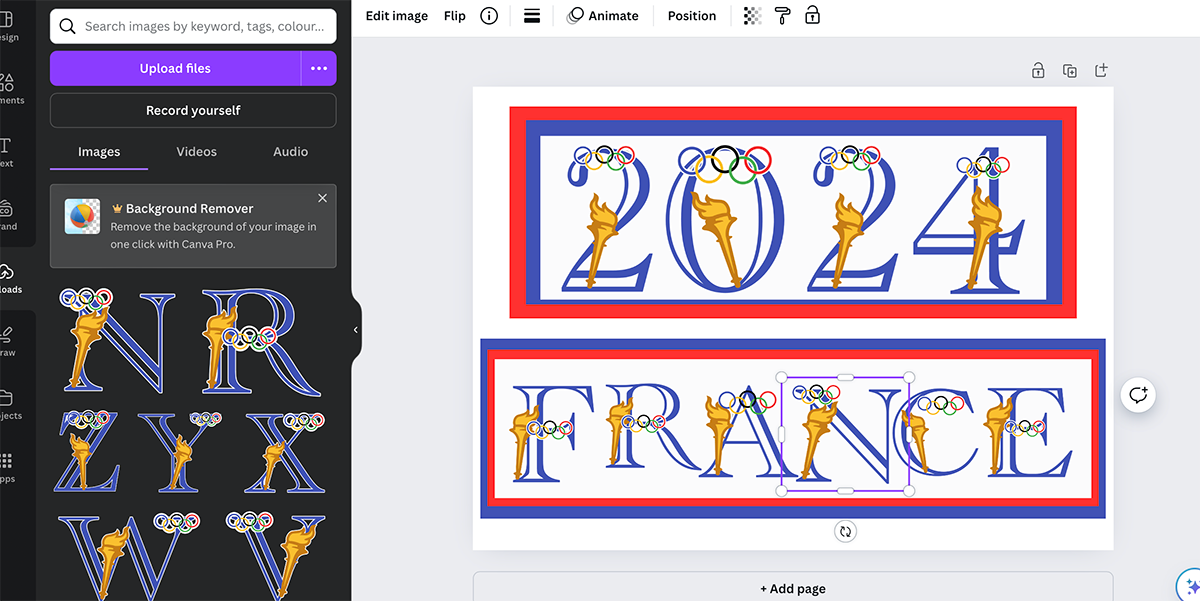
You can upload my Olympics Clip Art PNG Alphabet to Canva. This is a great programme for making posters and cards or printing and cutting with a guillotine to make flash cards. Word or Pages would also work for this. I have provided a set of JPG files for use in these programs if you would prefer your Printable Olympics Alphabet to have a white background. However, uploading a PNG gives you more flexibility as it doesn’t have a background, so you will have no overlap.
If You Want To Use These Free Cricut Printable Olympics Clip Art PNG Alphabet Letters And Numbers Template?
Click here or on the image below to get your free download of our Cricut Printable Olympics PNG cut files. They are instant downloads from our shop. Here’s how you upload the files to Cricut Design Space.

If You’re Having Problems?
Check out my trouble shooting page, hopefully it will answer any questions you may have.
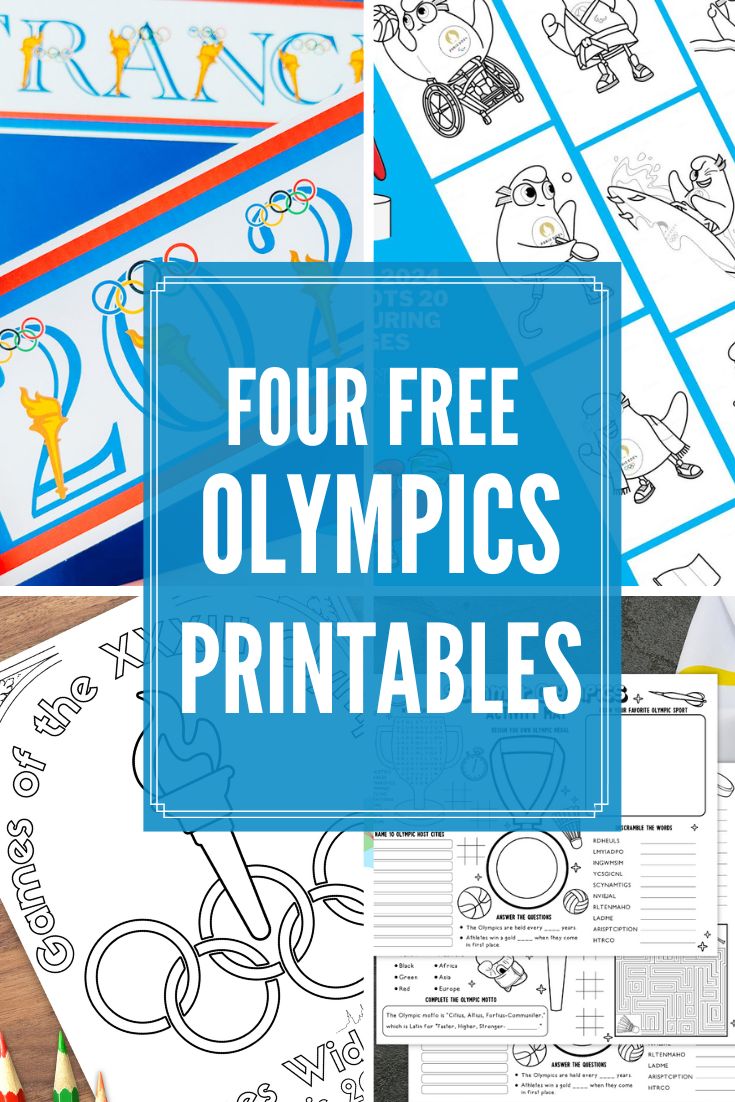
Also See These Amazing Olympics Projects From Some Fab Designers
- Olympics SVG Alphabet by Extraordinary Chaos
- Mascots Colouring Page by Mum in the Mad House
- Olympic Coloring Page by The Quiet Grove
- Olympics Activity Placemat by The Benson Street
Tips And Advice For Using Cricut
- Cricut Design Space Guide
- How to upload to Cricut Design Space
- How To Make Print And Cut Stickers In Cricut Design Space
- Where Else To Get Free SVG Files
Also please do pop over to Instagram, or TikTok and give me a follow and if you make a project please do tag me! I love seeing everyone else’s makes and chatting crafting. I could do that all day! This is also where I share all my projects in progress.
