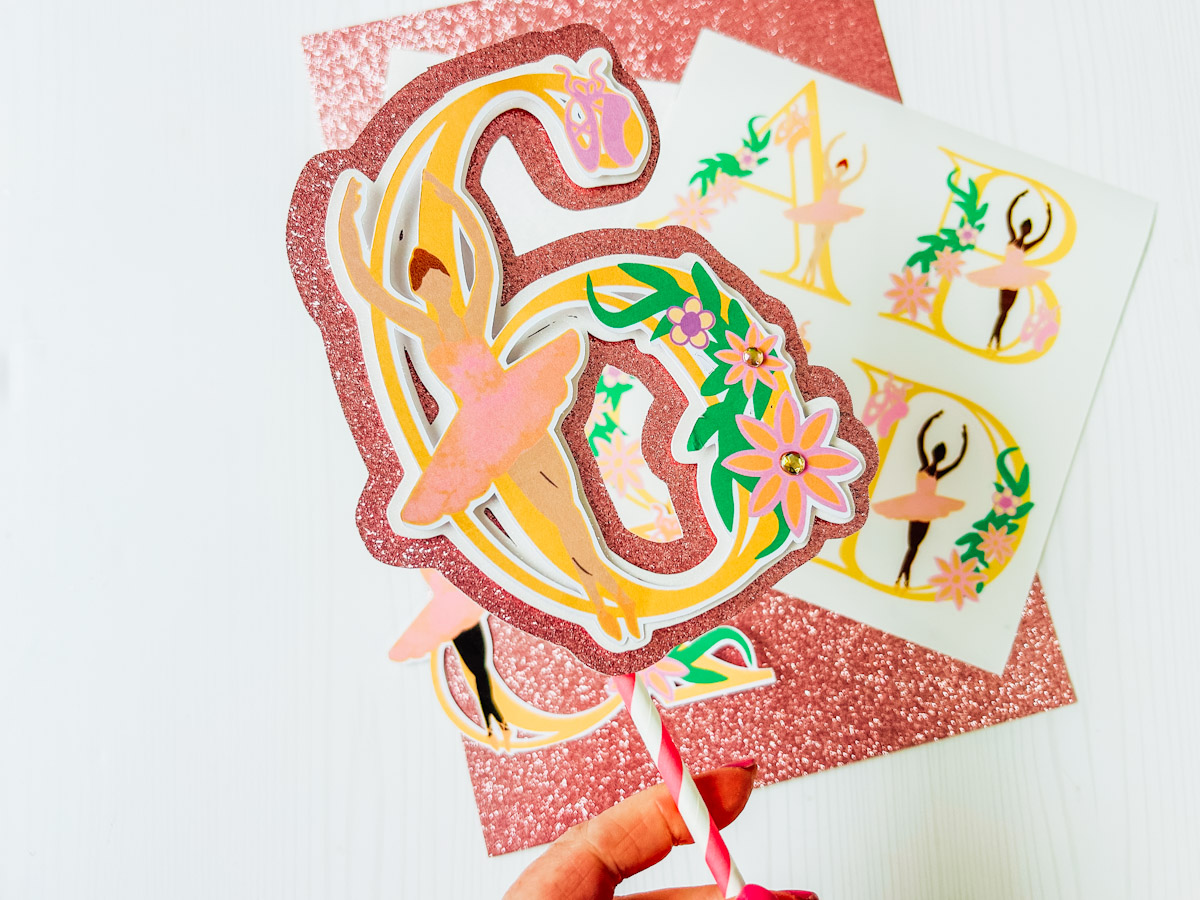
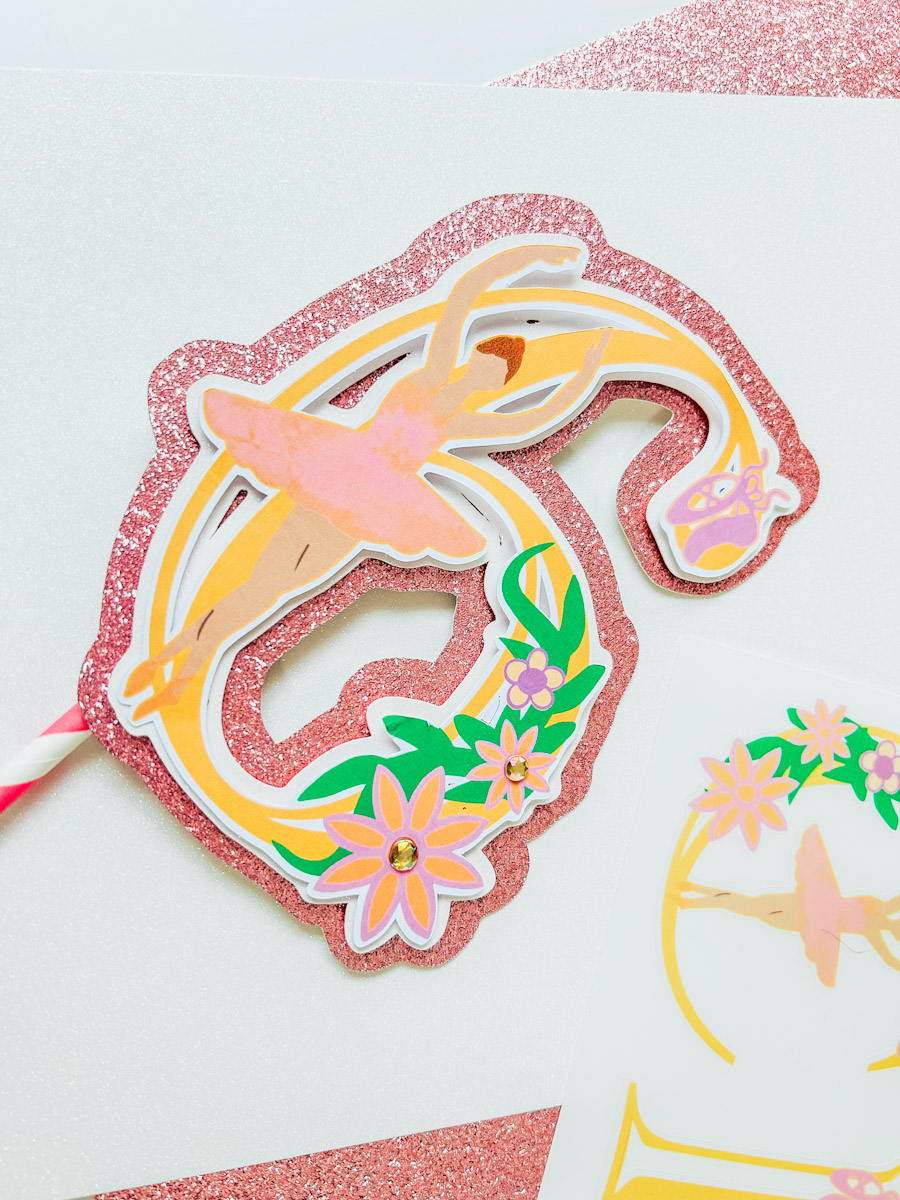
Crafted with vibes of ballet and flowers in a choice of skin colours for all little ballerinas to use and love. Our printable Ballerina PNG Alphabet Letters and Numbers are ideal for use with Cricut and Silhouette with sublimation or to cut out by hand. They are perfect for ballet-themed craft projects, from personalised cards and party invitations to banners and decorations. The possibilities are endless. I made a cake topper with my Ballerina Alphabet. See how to make a layered cake topper.

This post may contain affiliate links. Which means I may receive a small commission if you click a link and purchase something that I have recommended at no extra cost to yourself. As an amazon, Cricut and Glowforge associate, I earn from qualifying purchases.
What You Will Find Here
Project Ideas For My Free Printable Ballerina Clip Art PNG Alphabet
- Printed letters and words, perfect for ballet themed projects
- Themed Ballerina Parties
- Cake Toppers
- Ballerina Birthday Cards
- Use Pegs And String For Hanging Ballet Banners
- Framed Art
- Ballerina Wall Stickers
- Ballet Bingo
- Sublimation Mugs
- Sublimation T Shirts
- Door Decals And Name Signs
- Scrapbooking Page Layouts
How To Upload Your Printable Ballerina Alphabet Letters And Numbers To Cricut Design Space.
To get our free unlimited downloads, start by clicking upload in the bottom left-hand corner of Cricut Design Space; a box will appear where you can select browse. Now find your download file and choose the PNG folder. These are the files you will need for design space.
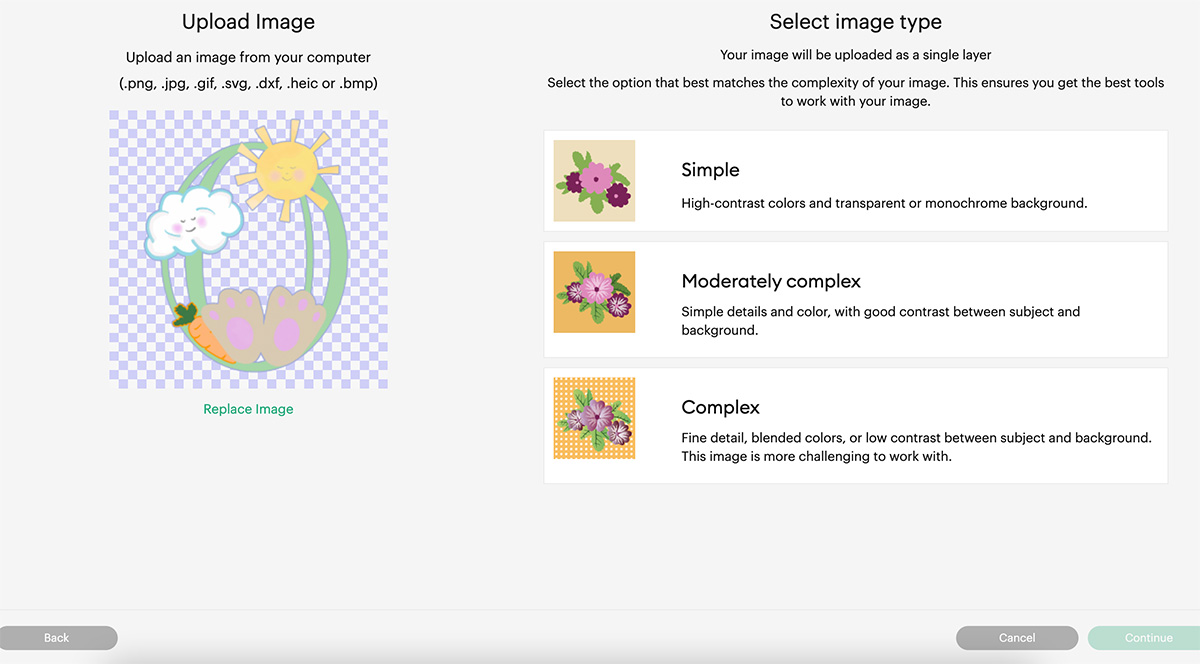
Select the printable Ballerina PNG Alphabet letters and numbers you require one at a time. When you choose a letter, you will see the box below. Select complex and click continue in the Botton right corner.
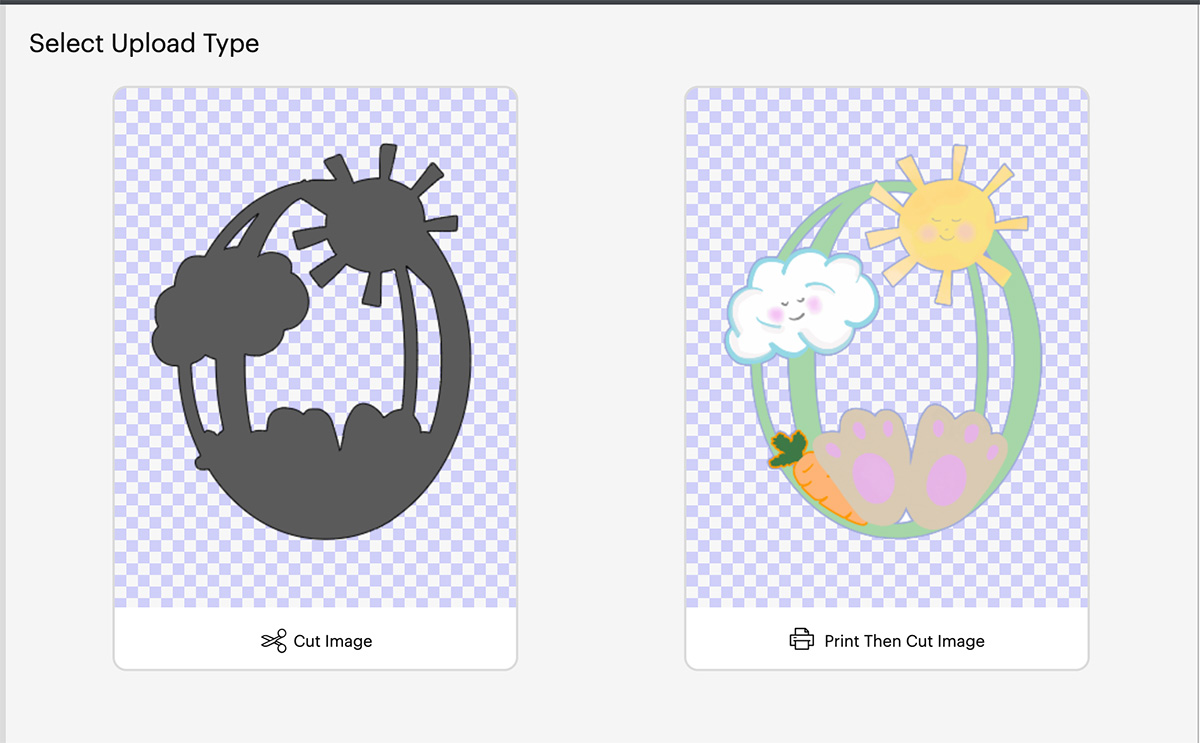
Next you’ll be taken to a screen where you can remove the back of the file, however I have done this for you, click continue in the bottom left corner. Now you will get the choice to save your printable alphabet as a cut file or a print then cut file. You must save as print then cut.
You can now bulk select the letters and numbers for your Ballerina project to pull into Cricut Design Space.
How To Print Your Ballerina PNG Alphabet Stickers With Cricut
Once you are happy with your choice and sizes, click on the corner and drag the attached images until they are the correct size to print and cut. They need to be 6.75.x 9.25 or less to use the print and cut feature.
I find arranging your letters or numbers together, selecting all and flattening the whole lot together so it is one big image is the best way to avoid wastage. As long as you have white space between the letters they will still cut separately. This way you can move letters around down to fit more into your printing space. See below on the image of how I have organised my easter stickers.
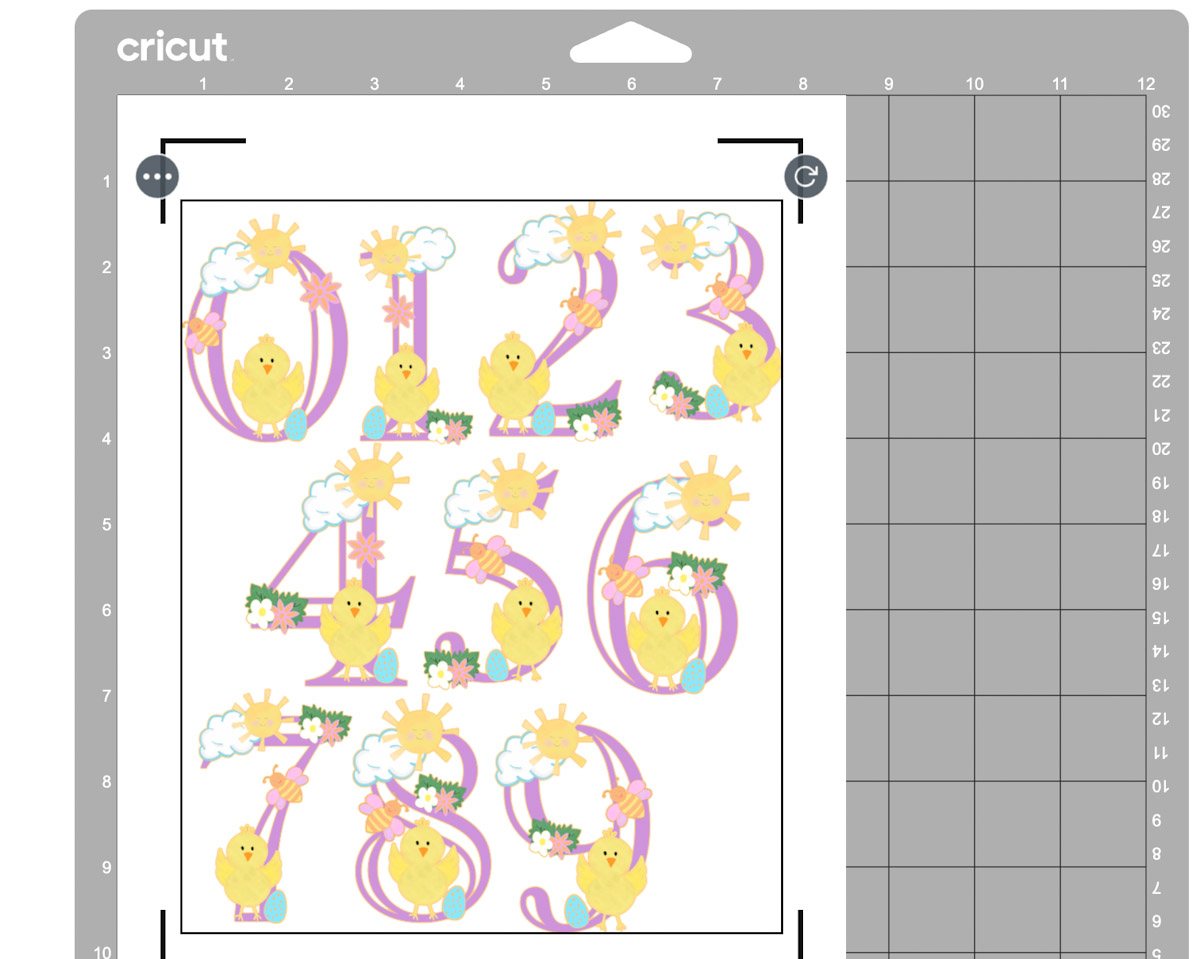
Now click make it. This will take you to the print preview page. Ensure you feed your sticker paper the correct way into the printer and press print. When you unload your printer, avoid touching the black guideline around the corner of the printed stickers, as I find this smudges easily.
Once printed, gently put the sticker sheet on your cutting mat, I don’t roll it with a brayer as I usually would, simply gently press around the edge. But always ensure I use a sticky mat and ensure the edges are well stuck down.
You will now be taken to the cut screen, here you can choose your material. I always use the printable vinyl or washi setting, this successfully cuts the top sticker layer only with the default pressure setting. And press go on your Cricut. Although I made this project on printable magnetic paper, there is a setting in design space for this.
If You Don’t Have Cricut ?
You can upload my Ballerina Clip Art PNG Alphabet to Canva, a great program for making posters and cards, or to Word or Pages. Just arrange you letters or numbers with spaces between and cut with a guilotine.

If You Want To Use These Free Cricut Printable Ballerina Clip Art PNG Alphabet Letters And Numbers Template?
Click here or on the image below to get your free download of our Cricut Printable Ballerina PNG cut files. They are instant downloads from our shop. Here’s how you upload the files to Cricut Design Space. Also, get our pink flower, vine, orange ballet shoes, purple ballet shoes, purple flowers and a ballerina in two different skin tones elements here.
If You’re Having Problems?
Check out my trouble shooting page, hopefully it will answer any questions you may have.
Tips And Advice For Using Cricut
- Cricut Design Space Guide
- How to upload to Cricut Design Space
- How To Make Print And Cut Stickers In Cricut Design Space
- Where Else To Get Free SVG Files
Also please do pop over to Instagram, or TikTok and give me a follow and if you make a project please do tag me! I love seeing everyone else’s makes and chatting crafting. I could do that all day! This is also where I share all my projects in progress.