
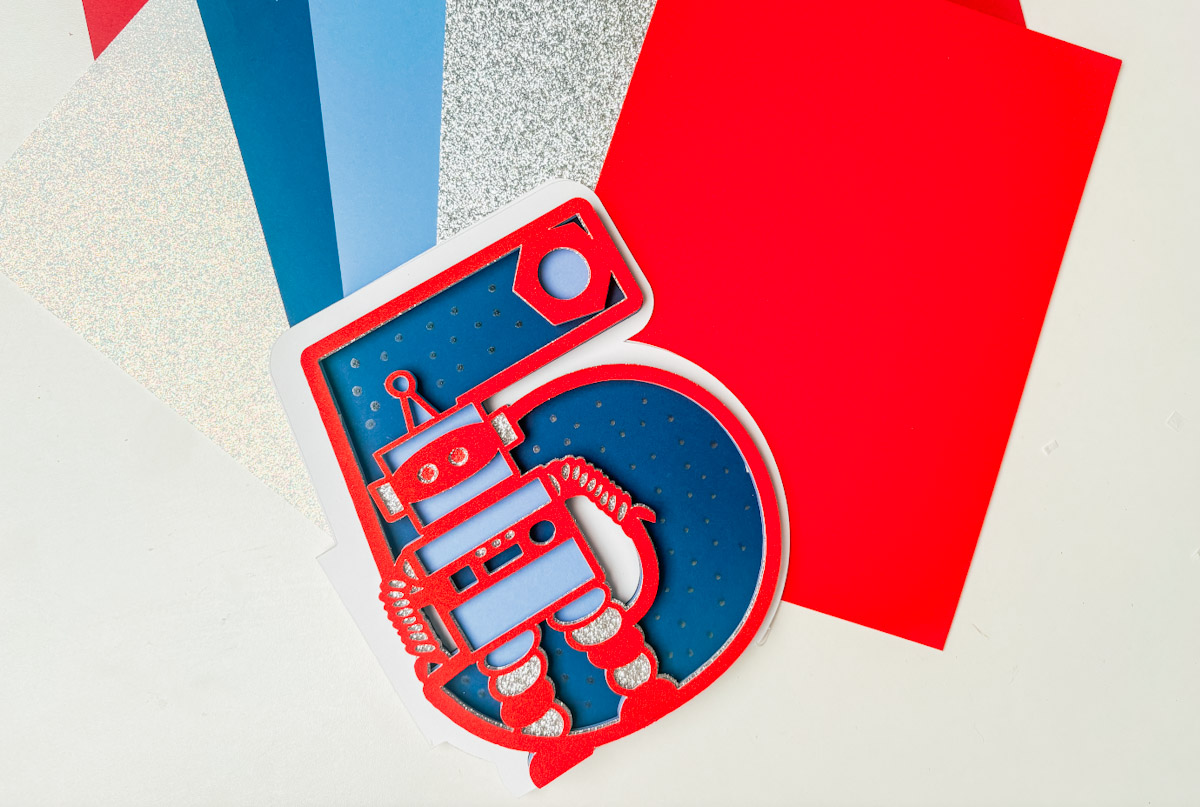
Today, I am sharing this stunning Free SVG Robot Alphabet and Number Set for Cricut and Silhouette. Creating stunning projects for cards, scrapbooking, and cake toppers has never been cuter.
If you’re looking for a fun and creative Cricut project, this layered robot alphabet tutorial is perfect, whether you’re a beginner or a seasoned crafter. In this easy step-by-step guide, I’ll walk you through how to upload your files and create a super cool layered robot birthday card.
This post may contain affiliate links. Which means I may receive a small commission if you click a link and purchase something that I have recommended at no extra cost to yourself. As an amazon, Cricut and Glowforge associate, I earn from qualifying purchases.
What You Will Find Here
Craft Ideas For Our SVG Robot Alphabet Letters & Number Set For Cricut And Glowforge
- Robot Cake Toppers
- Framed Art
- Scrapbooking Layouts
- Cards
- Childrens Robot Themed Bedroom Decals
- Iron on Vinyl Projects
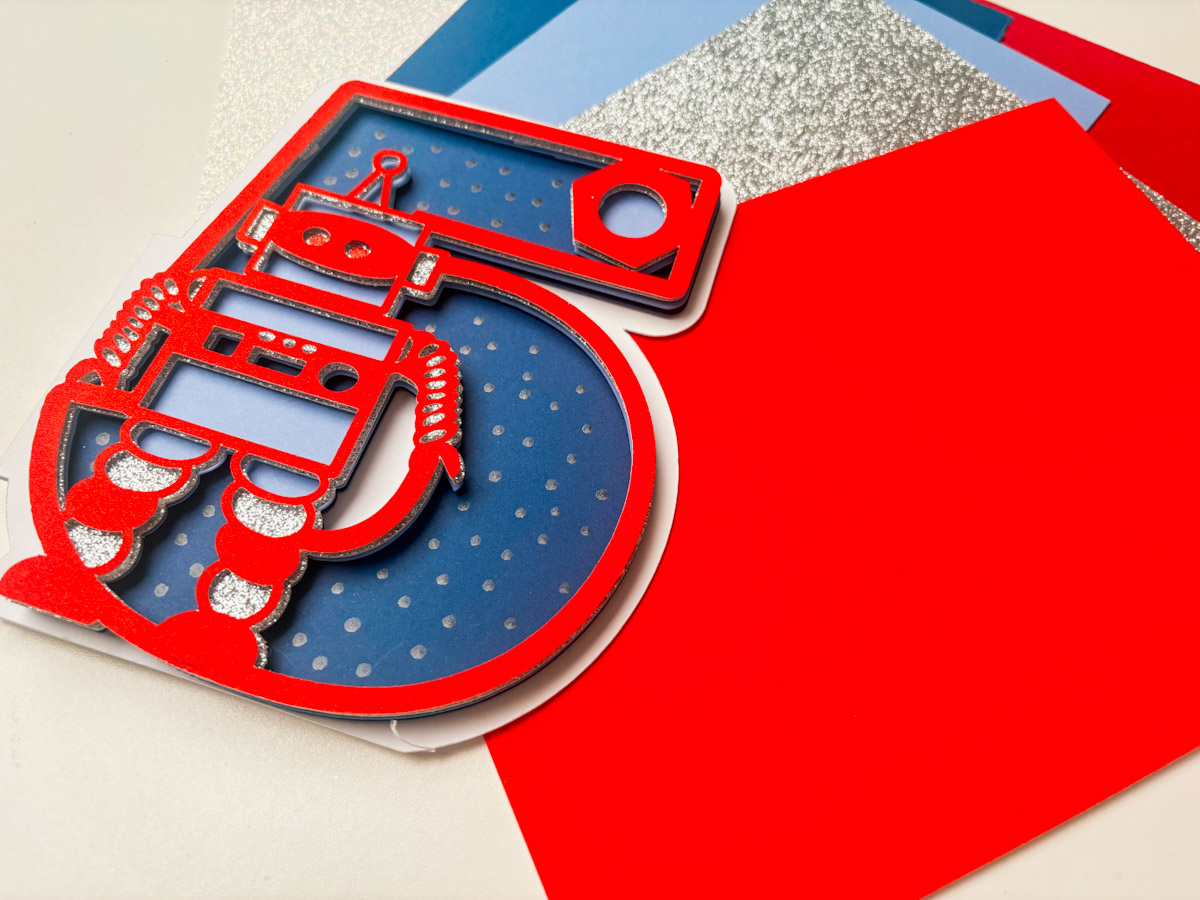
Step-by-Step Instructions: How to Make a Robot-Themed Layered Letter Using Cricut
You will need….
- Cricut machine (Joy, Explore, or Maker)
- Cricut Design Space (free software)
- Standard Gripmat (green)
- Weeding tool (for removing small bits)
- Brayer (optional, to smooth cardstock on mat)
- Foam pads or glue
- Pintasa Acrylic Paint Pens
- Card Stock
1: Upload Your SVG
- Open Cricut Design Space.
- Click “Upload” and select your Robot Alphabet SVG.
- Insert the file onto your canvas.
2: Resize the Design
- Select your letter or number and resize it to approx 5 inches wide.
- Duplicate the design. Set one copy aside.
3: Create Your Card Base
- Select one copy of the SVG.
- Click “Offset” to create a background shape for your card. Adjust the offset size to your liking.
- Click “Contour” and hide all inner cuts (so the background is solid).
- Duplicate the offset shape.
- Flip one shape horizontally to create a mirror image.
- Align the two shapes side by side and slightly overlap them.
- Use a square from the shapes tool, place it over the overlapping section, and click “Weld” to join the shapes. This creates a folding card base.

4: Add a Flat Base (So Card Stands Up)
- Add a square, unlock proportions, and stretch it to a narrow rectangle.
- Place it at the bottom of the card base (just overlapping the edge).
- Select both and click “Slice” to cut a flat edge.
- Delete the excess pieces.
5: Create Your Layers
- Go back to your duplicate SVG and begin creating layers:
- Duplicate it multiple times (for each colour layer you want).
- Use “Contour” to remove different details on each version (e.g. buttons, bolts, eyes).
- Assign a different colour to each layer to help guide your cutting (e.g. red, silver, blue).

6: Cut Your Layers
- Load your cardstock onto the Cricut mat.
- Send each coloured layer to cut using “On Mat” option.
- Use “More” pressure if your cardstock is thick.
- Carefully reverse-weed thicker pieces off the mat by flipping the mat over and peeling it back.
7: Assemble Your Card
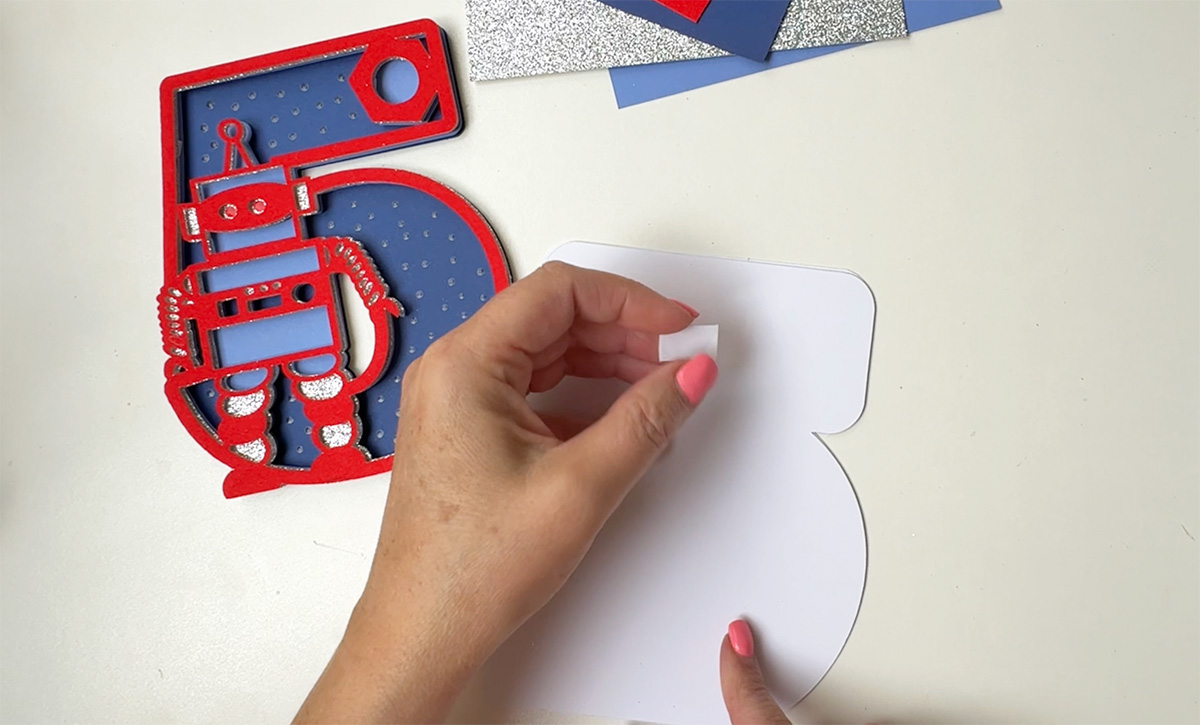
- Fold your card base in half.
- Starting from the back layer, begin building the design using foam pads for dimension.
- Align each layer carefully.
- Add small foam pieces behind smaller shapes like bolts and buttons for stability.
8: Add Finishing Touches
- Use a silver or white acrylic paint pen to draw bolts, eyes, or add extra detail.
- Add dots, lines or shadows to make your robot pop!
How To Get Your Robot Alphabet Letters And Numbers
Click here or the image below to get your free downloadable Robot SVG Alphabet from our shop and follow these instructions to add to Cricut Design Space if you are using a Cricut Machine. Note if you are using Glowforge you need SVG files to cut the image out of wood or acrylic. Or Png or SVG to engrave.

If You’re Having Problems?
Check out my trouble shooting page, hopefully it will answer any questions you may have.
Tips And Advice For Using Your Download For Cricut
This alphabet is also perfect to make cards and cake toppers with your Cricut, check out my guides below.
- How To Add Fonts To Cricut Design Space
- How To Remove Backgrounds On Illustrator
- Cricut Design Space Guide
- How To Slice And Weld In Cricut Design Space
- How to upload to Cricut Design Space
- Using Iron On Vinyl
- Where Else To Get Free SVG Files
Also please do pop over to TikTok or Instagram, and give me a follow and if you make a project tag me! I love seeing everyone else’s makes and chatting crafting. I could do that all day! This is also where I share videos of my makes.


Thanks Sarah, this was fun !
Thanks Karen you are welcome