
Tis the season to be jolly and, of course, extremely hopeful for the nice list. I remember when my boys were tiny, they were jubilant at receiving that nice list message. What child wouldn’t be? Thus my Cricut Mickey Nice List SVG file is perfect for creating so many wonderful nice list craft projects to break the wonderful news over the Christmas period.
However, it’s also a positive way to decorate the home and spread hope and joy throughout the holiday season.
What You Will Find Here
Project Ideas For Using My Christmas Nice List, Mickey Cut File.

- Scrapbooks
- Framing As Christmas Art
- Cushion Covers
- Christmas Cards
- Book Covers
- T Shirts
- Window Cling
- Stickers
- Gift Tags
- Wall Decals
- Place Mats
How To Make A Cricut Christmas Mickey Nice List Paper Cut

You Will Need
- Cricut Maker
- Cricut Design Space
- Blue Cutting Mat
- 12x 12 plain card stock
- Brayer and weeding tools
Quick Guide, Uploading Your Cricut Mickey Mouse To Cricut Design Space
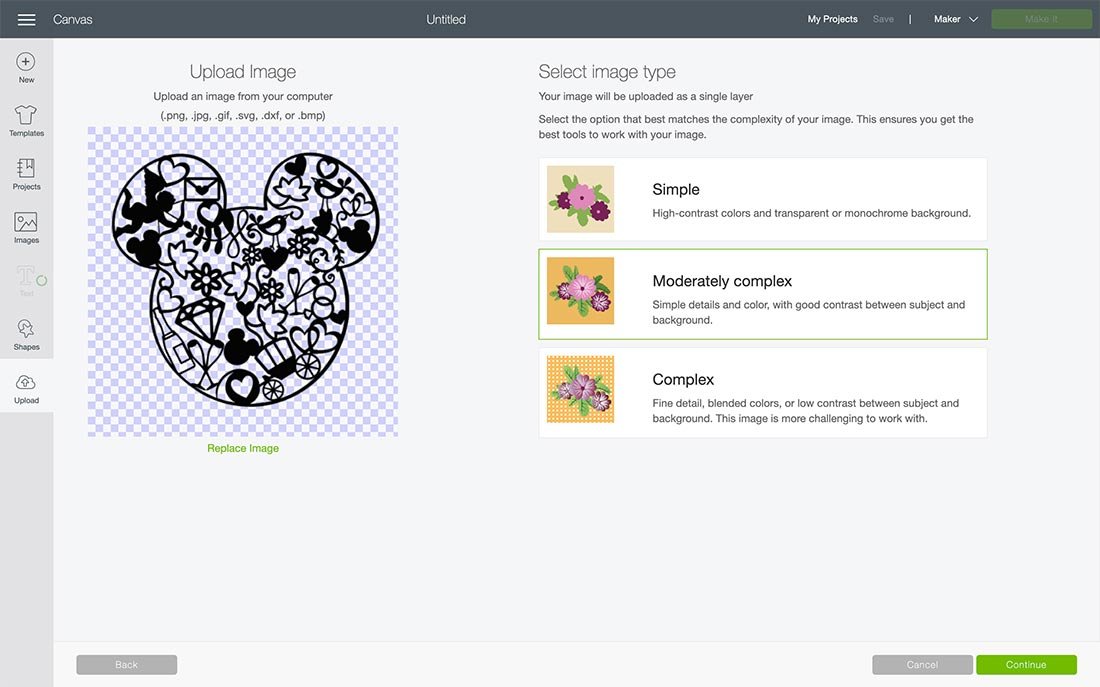
Click upload at the bottom of the left-hand bar and find the Mickey Mouse Christmas File. You now have the option to remove the background however I have done this for you.
The first option you will see the image below, choose moderately complex. You will then be taken to the select top page, this is where you can remove any background.
Save As A Cut File
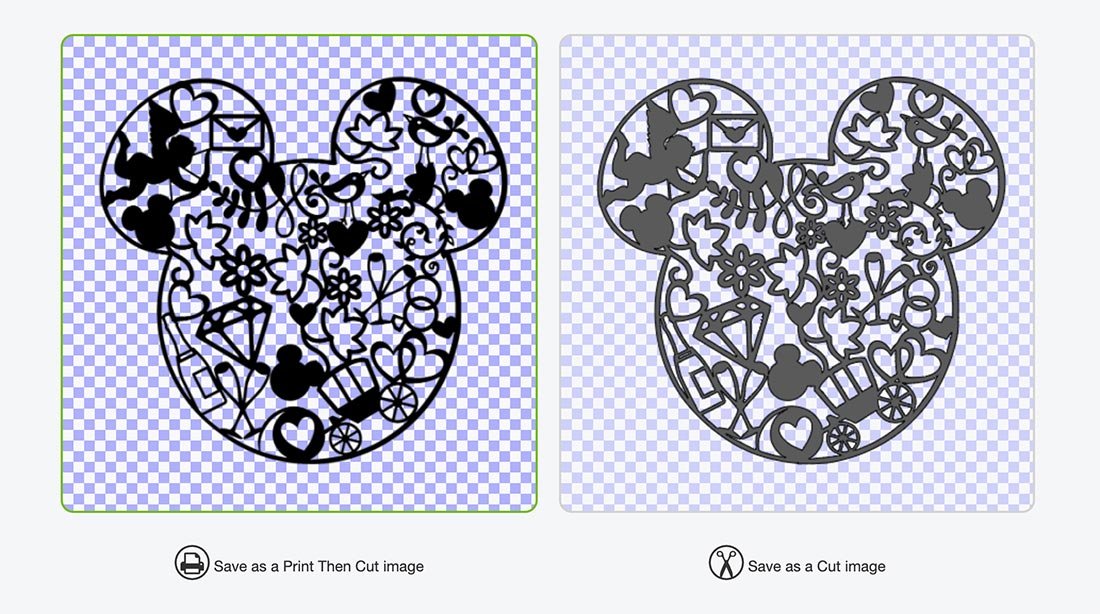
You can then choose to save as a print and cut or cut file. This can be changed in Cricut Design Space.
Cutting Your Cricut Mickey Nice List Christmas Cut File

When you send your Mickey Nice List Cut File to your Cricut to cut, ensure you use your brayer to roll the paper, vinyl or card to adhere to the mat. Movement will effect the cut. If your cutting mat looses its stickiness this will affect the quality of cut. Also make sure your mat is in good condition, it is vital for cutting intricate cuts.
Additionally, make sure you set the material and cut pressure correctly to match whatever Cricut materials you’re cutting to get a clean cut.
If cutting on card stock the bigger the better, this is a complicated cut, I cut 11×11, however cutting on vinyl will be easier to weed, thus you can go smaller.
If You Want To Use This Cut File For DIY Disney Christmas Crafts?
Click here or the image above to get your free Mickey Mouse Christmas PNG from our shop.
However, make sure your pop-up blocker is turned off and if the email doesn’t land check your spam folder. Here’s how you upload the files to Cricut Design Space.
More Mickey Mouse Projects
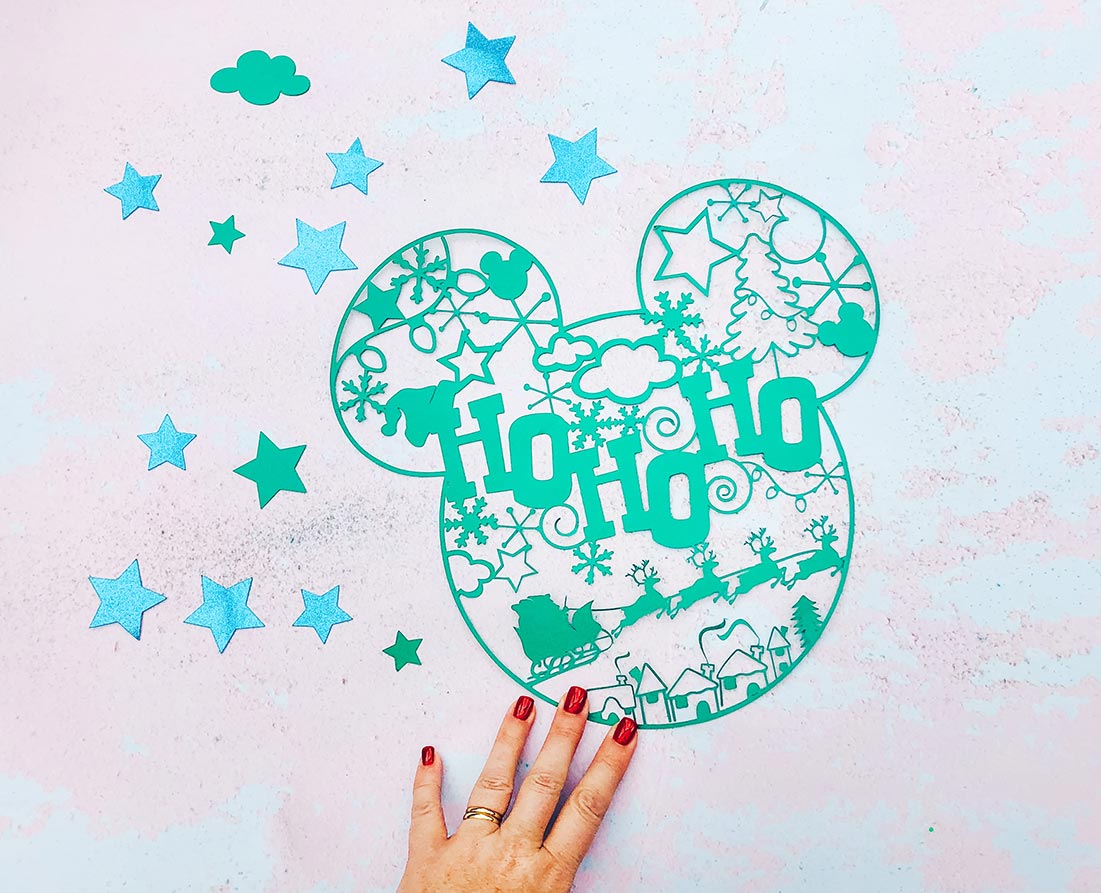


Mickey Nice List Cut File
Cricut Mickey Nice list Christmas PNG file for creating nice list surprises for Christmas Eve & themed Christmas Cushions, coasters & T Shirts
Materials
- 12x 12 plain card stock
Tools
- Cricut Maker
- Cricut Design Space
- Blue cutting Mat
- Brayer and weeding tools
Instructions
Quick Guide, Uploading Your Cricut Mickey Mouse To Cricut Design Space
Click upload at the bottom of the left hand bar and find the Mickey Mouse Christmas File. You now have the option to remove the background, however I have done this for you.
The first option you will see the image below, choose moderately complex. You will then be taken to the select top page, this is where you can remove any background.
You can then choose to save as a print and cut or cut file. This can be changed in Cricut Design Space.
Cutting Your Cricut Mickey Nice List Christmas Cut File
Step 1. When you send your Mickey Nice List Cut File to your Cricut to cut, ensure you use your brayer to roll the paper, vinyl or card to adhere to the mat. Movement will effect the cut. If your cutting mat looses its stickiness this will affect the quality of cut. Also make sure your mat is in good condition, it is vital for cutting intricate cuts.
Step 2. Additionally, make sure you set the material and cut pressure correctly to match whatever Cricut materials you’re cutting to get a clean cut.
If cutting on card stock the bigger the better, this is a complicated cut, I cut 11×11, however cutting on vinyl will be easier to weed, thus you can go smaller.
Notes
Project Ideas For Using My Christmas Nice List, Mickey Cut File.
Scrapbooks
Framing As Christmas Art
Cushion Covers
Christmas Cards
Book Covers
T Shirts
Window Cling
Stickers
Gift Tags
Wall Decals
Place Mats
Recommended Products
As an Amazon Associate and member of other affiliate programs, I earn from qualifying purchases.


can it be made on the explore air 2? I made the Ho Ho on the EA2. Love all your Disney files.
Thank you!