
This super festive free PNG Elf Alphabet Letters and Numbers set is perfect for print-and-cut projects with Cricut and Silhouette. It offers many possibilities for creating themed Christmas and winter projects, such as custom cards, personalised candy baubles, banners, cake toppers, and gifts.
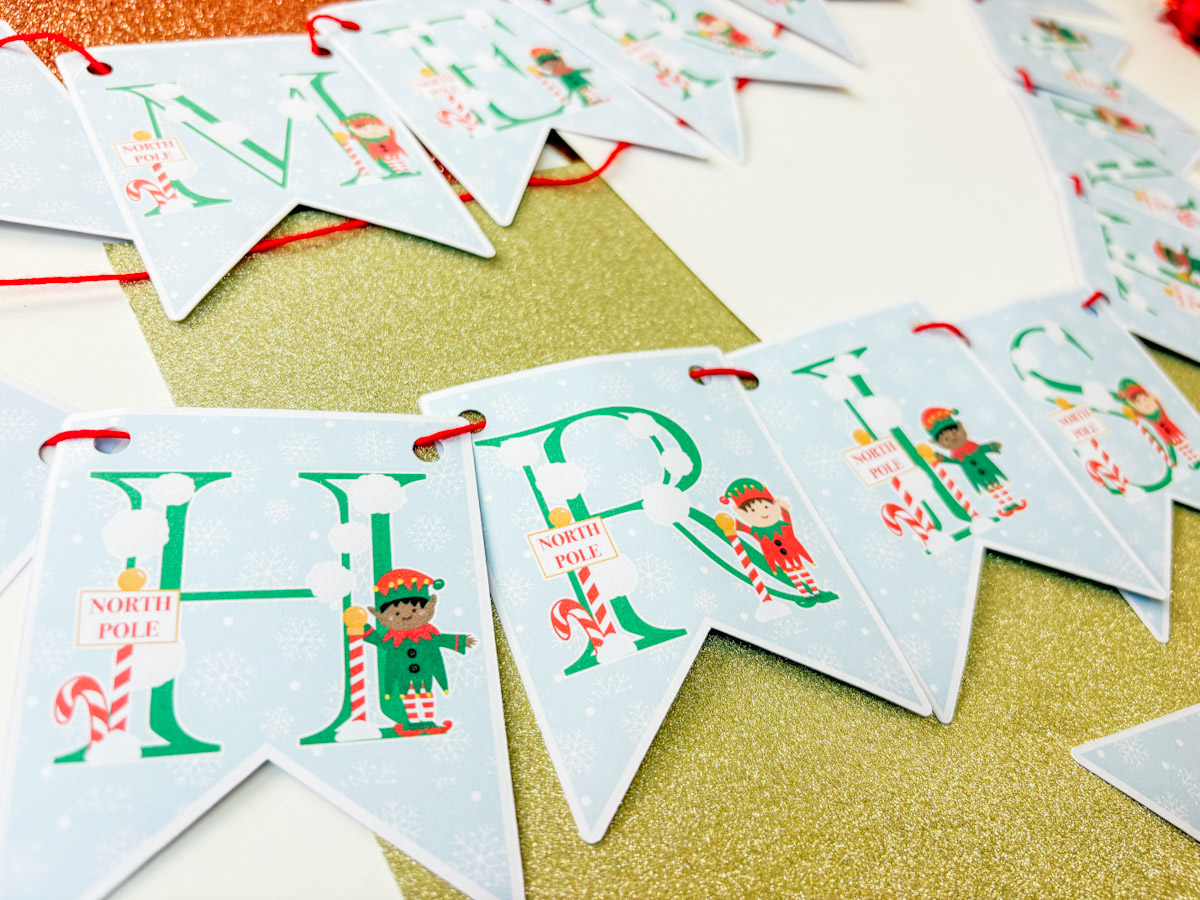
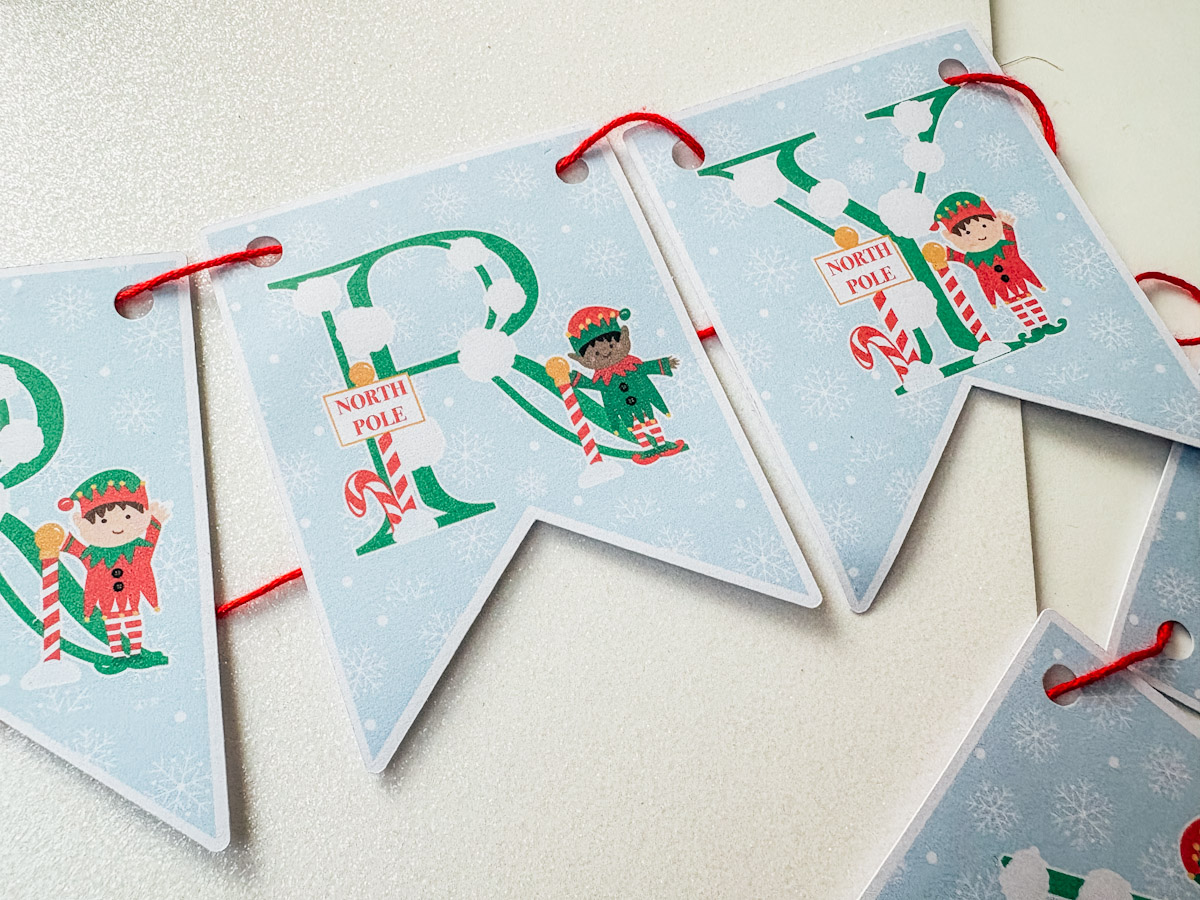
If you’re looking for an easy Christmas Cricut project, this DIY Elf Christmas Banner is a perfect festive make. Using my free Elf Alphabet and printable snowflake pattern, you can create personalised bunting for your family, your elf, parties, gifts or even Christmas cakes. This beginner-friendly tutorial walks you step-by-step through uploading the files, cutting your panels and assembling your banner with Cricut Design Space.
This post may contain affiliate links. This means I may receive a small commission if you click a link and purchase something that I have recommended at no extra cost to yourself. As an amazon, Cricut and Glowforge associate, I earn from qualifying purchases.
What You Will Find Here
How To Make A Christmas Banner With Our Free Printable PNG Elf Alphabet Letters And Numbers
Materials & tools
- Cricut machine (Joy, Explore, or Maker)
- Cricut Design Space
- Standard Grip Mat (green)
- White Printable Card
- Weeding tool
- Brayer
- Printer
Watch My Step-by-Step Video
Files you’ll need
- Free Elf Alphabet (download link) includes letters, numbers and pattern. Scroll down for files.
- Optional: individual elements (elves, snowball, North Pole signs) available in the shop if you want separate files.
Tip: The snowflake pattern included is a single large artwork (not a repeating pattern). Resize it to fill your flag background in Design Space.
Step-by-step: Design in Cricut Design Space
Open Cricut Design Space
Launch Design Space and start a new project.
Upload your files
- Click Upload, Upload Image and add the Elf Alphabet SVG/PNG and the snowflake pattern file.
- If using the print-then-cut method, upload the pattern as a print image.
Create your flag shape
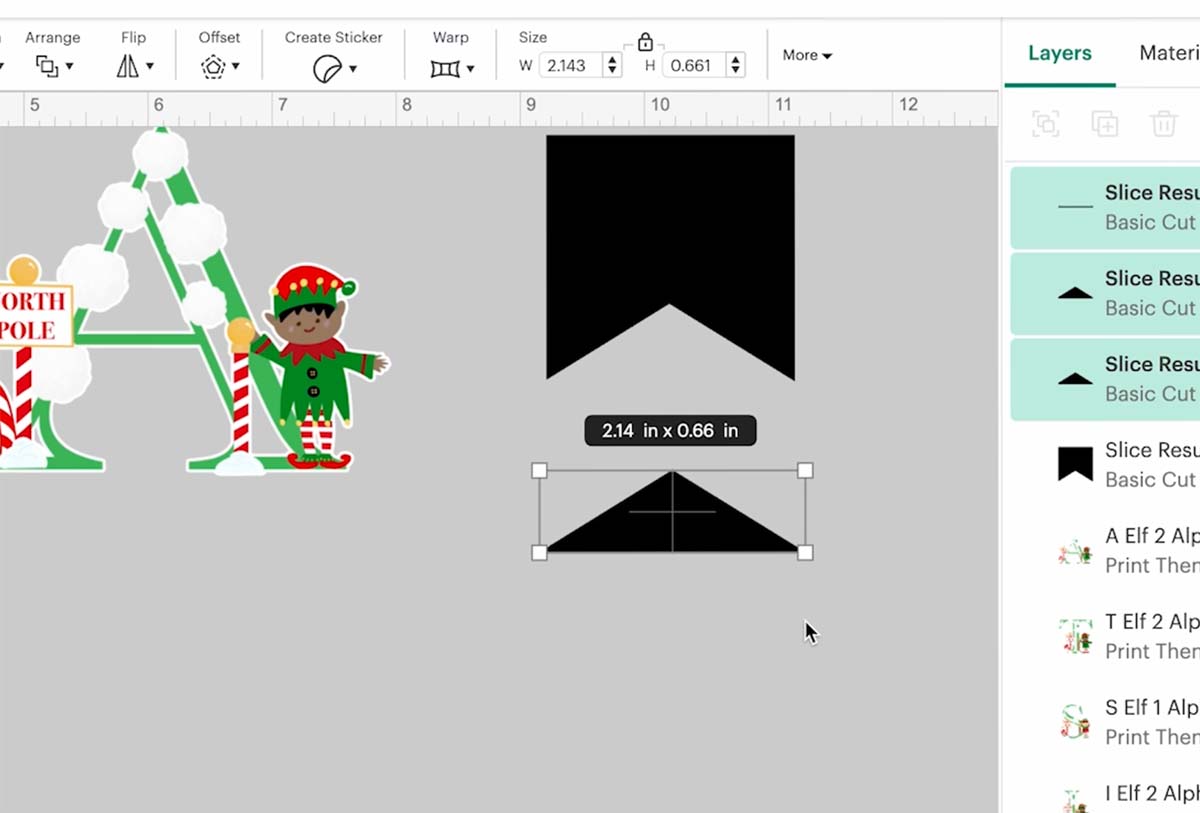
- Use the Shapes tool to draw the base flag. A classic bunting triangle or pennant rectangle works well. Suggested sizes:
- Small cake flags: 1–2 cm wide
- Cupcake toppers: 2–3 cm wide
- Standard bunting flags: 3–4 inches wide
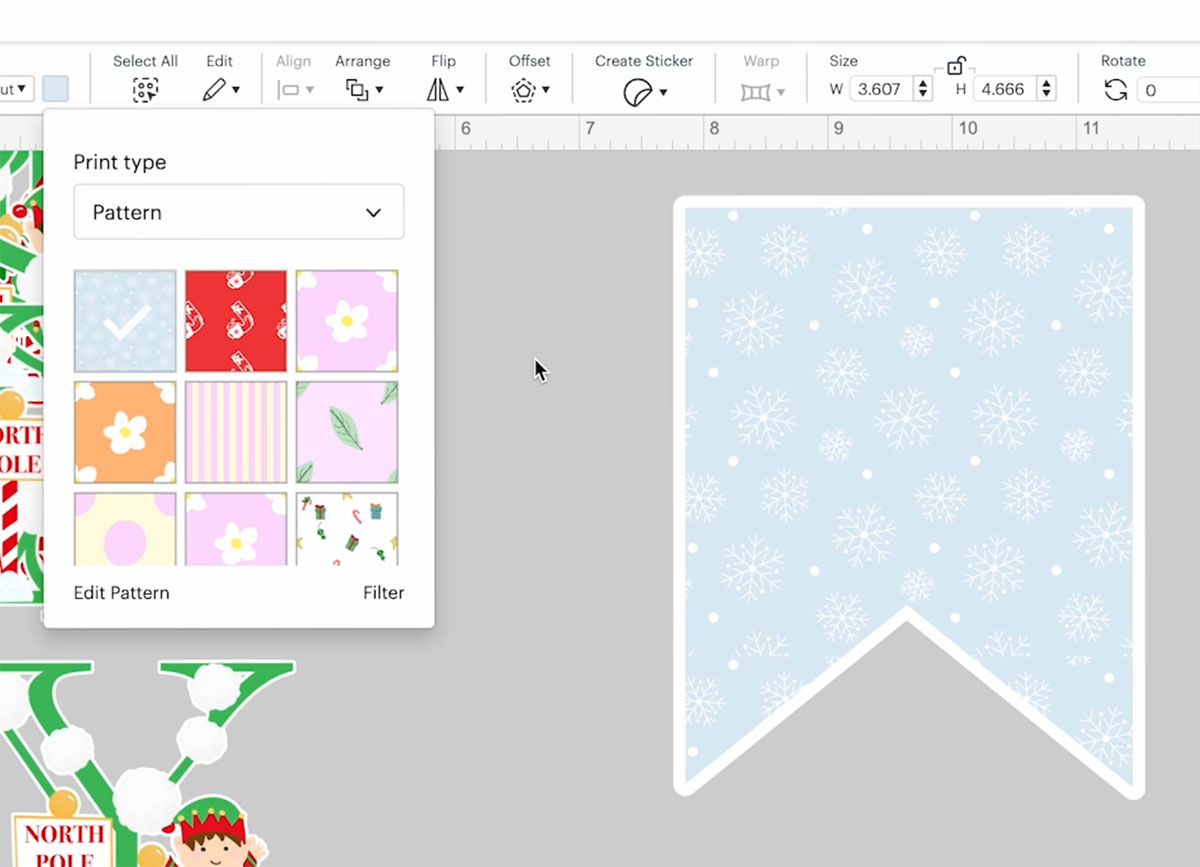
- Create an offset on the flag a colour it white
Add the patterned background
- Select your flag panel. Click on operation – print and cut, and choose the snowflake pattern.
- Resize the pattern so it covers the flag panel completely. Because the snowflake file is not a repeating tile, scale it larger rather than trying to repeat.
- If using print-then-cut: attach the pattern to the offset panel and click flatten so it prints as one image. You can now duplicate so you have enough flags for the project.

Add letters and elf elements
- Insert letters from the Elf Alphabet to spell your message (eg, “MERRY CHRISTMAS” or “The Smith Family”) when you are happy, flatten the flag.
- Place an elf, a North Pole sign or a snowball element on two flags to create an end flag for each end and flatten
- When you are happy click make it
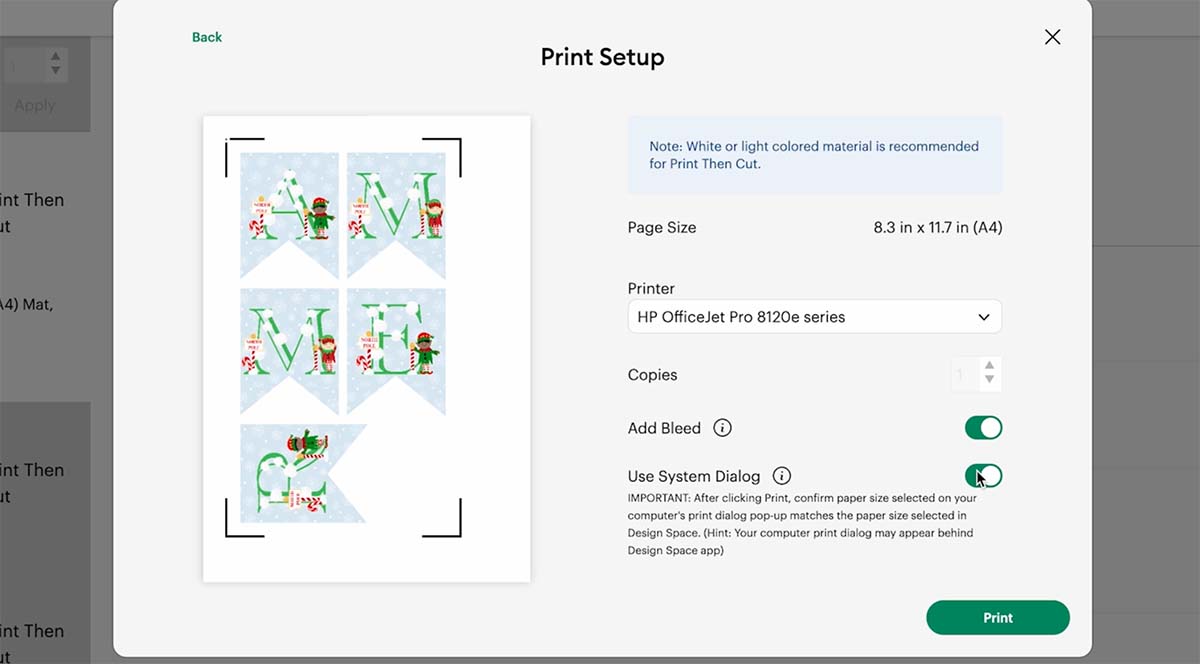
Print (if using print-then-cut)
- Choose Send to Printer and print your panels on cardstock
- Use a high quality print setting for best results.
Load mat & cut
- Place your chosen cardstock or printed sheet on the cutting mat.
- Load into your Cricut and follow prompts. Use appropriate blade settings for your material.

Attach to string or skewers
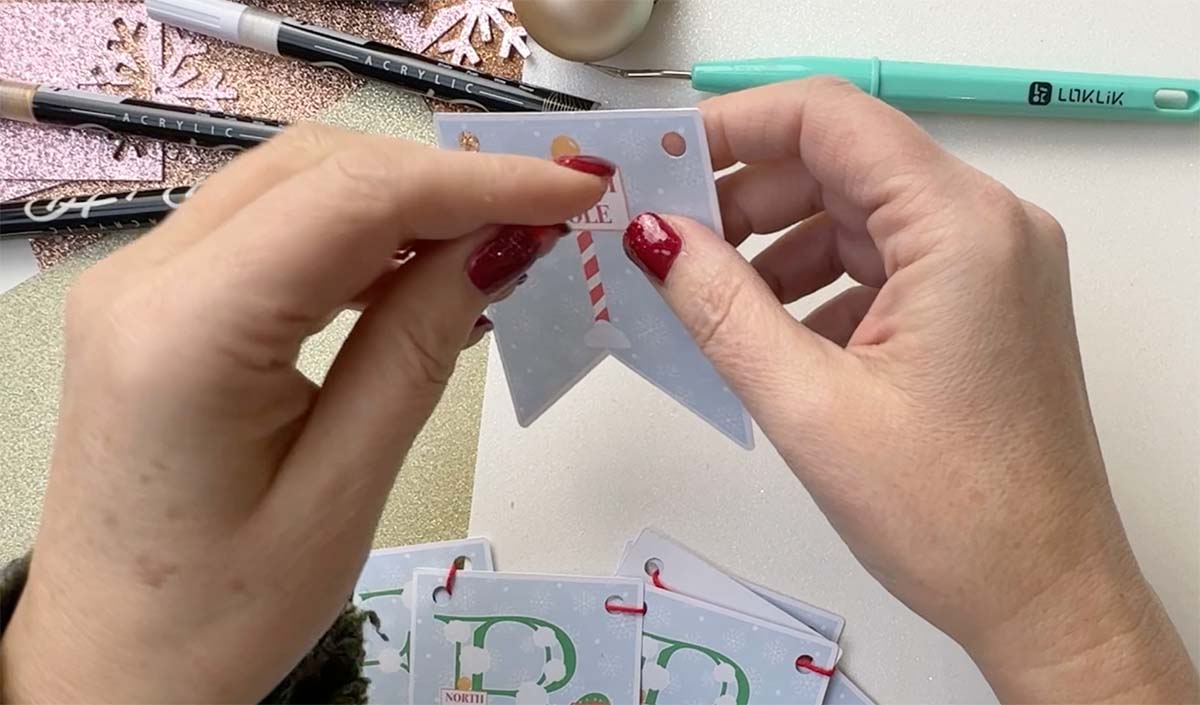
- For bunting: Punch holes at the top corners of each flag and thread ribbon or twine.
- For cake flags: Attach to cocktail sticks or straws with tape or glue. Insert into cake or cupcakes.
Variations & creative ideas
- Mini bunting for cakes and cupcakes: Make very small flags and attach to cocktail sticks. Cute for party cakes.
- Elf messages & clues: Use individual letters or message panels to leave notes from the elf for kids (e.g. “BE GOOD”, “PEEK A BOO”).
- Different shapes: Try circular medallions, scalloped pennants or ribbon-ended flags instead of triangles.

If You Want To Use These Free Printable Elf PNG Alphabet Letters And Numbers?
Simply click here or on the image below to get my free Cricut Printable Elf Alphabet cut file downloads from our shop. Here’s how you upload the files to Cricut Design Space. And get the matching sticker elements here.
If You’re Having Problems?
Check out my trouble shooting page, hopefully it will answer any questions you may have.
Tips And Advice For Using Cricut
- Cricut Design Space Guide
- How to upload to Cricut Design Space
- How To Make Print And Cut Stickers In Cricut Design Space
- Where Else To Get Free SVG Files
Also please do pop over to Instagram, or TikTok and give me a follow and if you make a project please do tag me! I love seeing everyone else’s makes and chatting crafting. I could do that all day! This is also where I share all my projects in progress.

