
If you’ve been thinking about investing in a laser machine but don’t have room for a large setup, the xTool F2 could be exactly what you’re looking for. As a crafter, card maker, scrapbooker, and someone who loves creating personalised gifts, I was curious to see whether this compact machine could genuinely earn its place in my craft room.
Over the last week, I’ve been putting the xTool F2 through its paces, testing a wide range of materials and projects to see how it performs in real-world crafting situations. Rather than making one or two items and calling it a review, I wanted to spend time using the machine properly so I could share an honest opinion based on experience.
In this xTool F2 review, I’ll share what the machine can do, the projects I’ve created, what impressed me most, and whether I think it’s worth the investment for crafters and small business owners.

This post may contain affiliate links. Which means I may receive a small commission if you click a link and purchase something that I have recommended at no extra cost to yourself. As an amazon, Cricut and Glowforge associate, I earn from qualifying purchases.
What You Will Find Here
xTool F2 Review
What Is the xTool F2?
The xTool F2 is a compact dual-laser machine that combines a 15W blue diode laser and a 5W infrared laser into one portable unit.
The blue diode laser is designed for cutting and engraving organic materials such as:
- Wood
- Leather
- Cardboard
- Basswood
- Acrylic
- Paper-based materials
The infrared laser is ideal for:
- Metals
- Stainless steel
- Deep engraving
- Metal business cards
Having both laser types in one machine gives you a huge amount of flexibility, especially if you enjoy creating a variety of projects.
Despite its small footprint, the machine can cut up to 15mm basswood and up to 12mm acrylic, which is impressive for something designed to fit comfortably on a craft room desk.
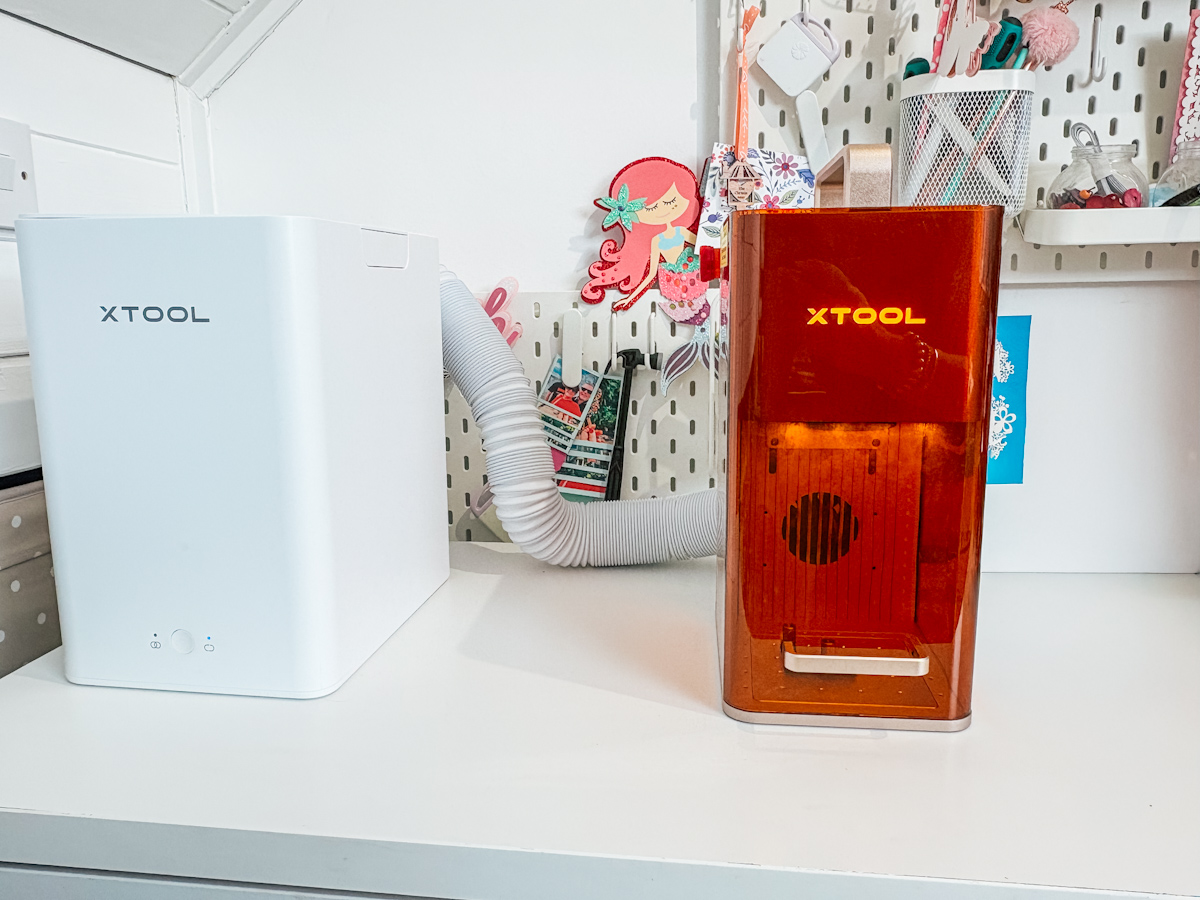
First Impressions of the xTool F2
The first thing that struck me about the xTool F2 was how compact it is.
For anyone with a smaller craft room, this is a huge advantage. Not everyone has space for larger laser machines, so having a machine that offers professional features without taking over your workspace is a major plus.
The machine also includes:
- An integrated camera
- Protective enclosure
- Framing feature
- Adjustable laser height
- Rotary attachment compatibility
- Conveyor attachment for larger projects
The built-in camera makes project placement incredibly easy. You can see exactly where your material is positioned and use the framing feature to ensure your design is perfectly aligned before engraving or cutting.
This feature alone removes much of the guesswork often associated with laser projects.
See My Full Video Review

Setting Up the xTool F2
Setup was straightforward and beginner friendly.
The machine connects to xTool Creative Space software, where you can create projects, upload designs, and even use AI-generated artwork.
One feature I particularly liked was the framing tool. Before engraving, the laser outlines exactly where it plans to work, allowing you to confirm positioning before committing to the project.
This saved both time and materials throughout my testing.

Ease of Use
One of the things that impressed me most about the xTool F2 was just how easy it was to get started. Whether you’re completely new to laser engraving or already have experience with craft machines, the learning curve feels surprisingly gentle.
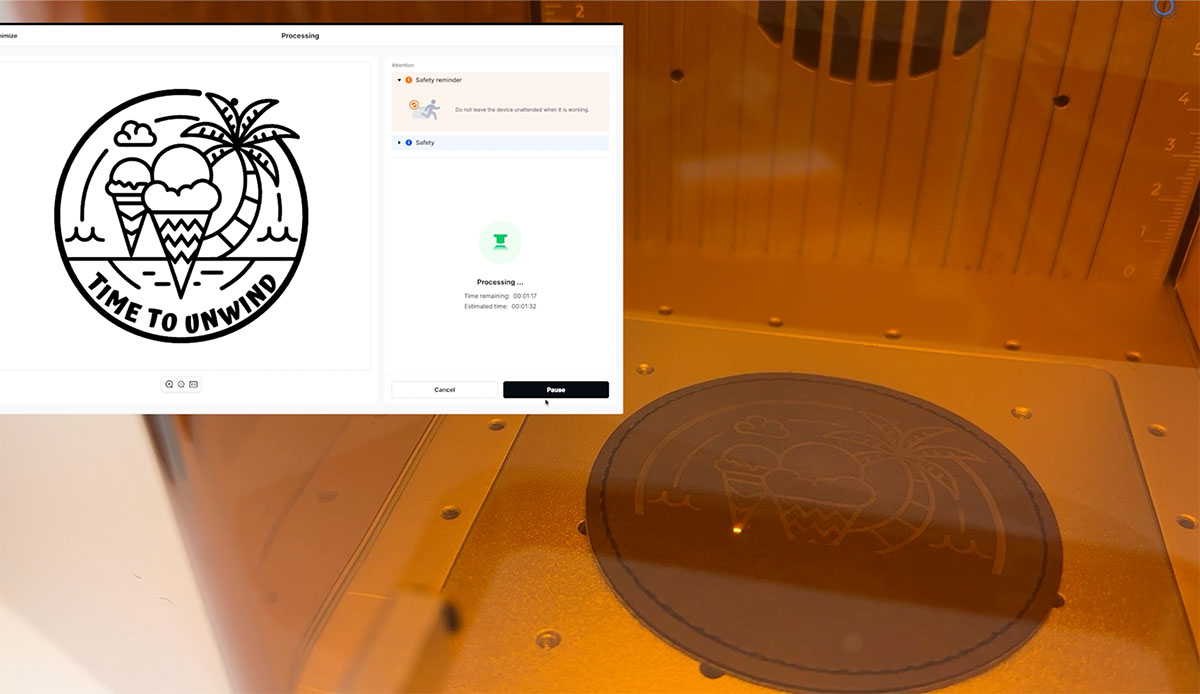
The xTool Creative Space software is responsive, intuitive, and simple to navigate. Everything is laid out clearly, making it easy to import designs, position projects, adjust settings, and start engraving or cutting without feeling overwhelmed.
A feature I particularly appreciated was the library of pre-configured material settings. The software includes recommended settings for a wide range of materials, including acrylic, wood, leather, slate, metal business cards, and more. This takes much of the guesswork out of the process, especially if you’re new to laser crafting.
Of course, every material can behave slightly differently, and that’s where the flexibility of the software really shines. While the preset settings provide an excellent starting point, you also have full control over power, speed, passes, and other settings. This allows you to fine-tune projects based on the results you’re achieving and the finish you’re looking for.
The built-in camera and framing feature make the process even easier. Being able to see your material on screen and frame the exact area before starting means there’s far less chance of positioning mistakes or wasted materials.
My First Projects on the xTool F2
As a crafter and card maker, I like to make homemade gifts, cards and artwork. I naturally wanted to see how the xTool F2 could fit into my existing crafting style.
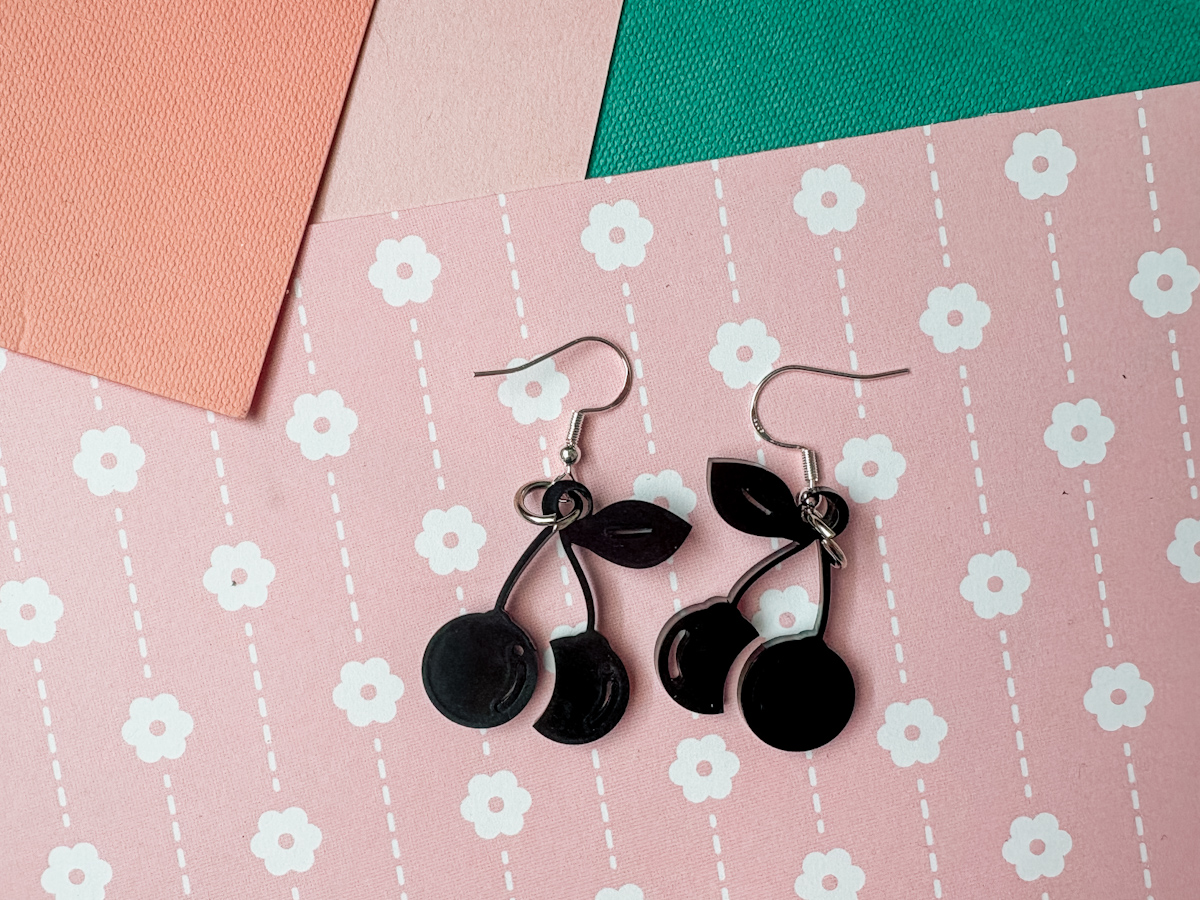
Acrylic Card Embellishments
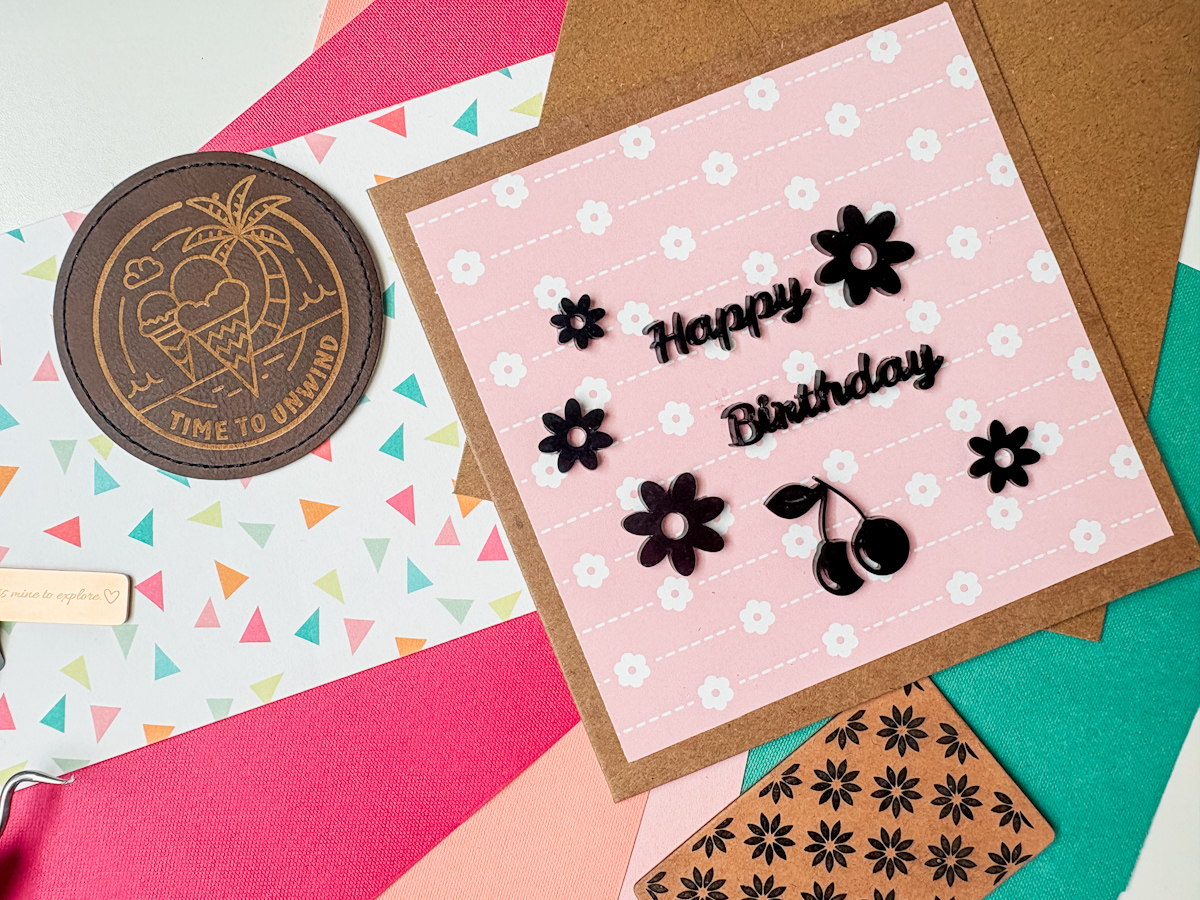
One of the first projects I created was a handmade birthday card featuring laser-cut acrylic embellishments.
Using acrylic, I cut:
- Happy Birthday wording
- Cherry embellishments
- Floral elements
The entire cutting process took under four minutes.
The results were clean, professional, and something I simply couldn’t achieve with traditional paper crafting tools.
For card makers looking to add a premium finish to their projects, this was one of my favourite uses for the machine. Plus, you can use images available in xTool Studio or upload your own SVG files and alphabets for personalised projects.
Using AI to Create Personalised Gifts Within the xTool Software
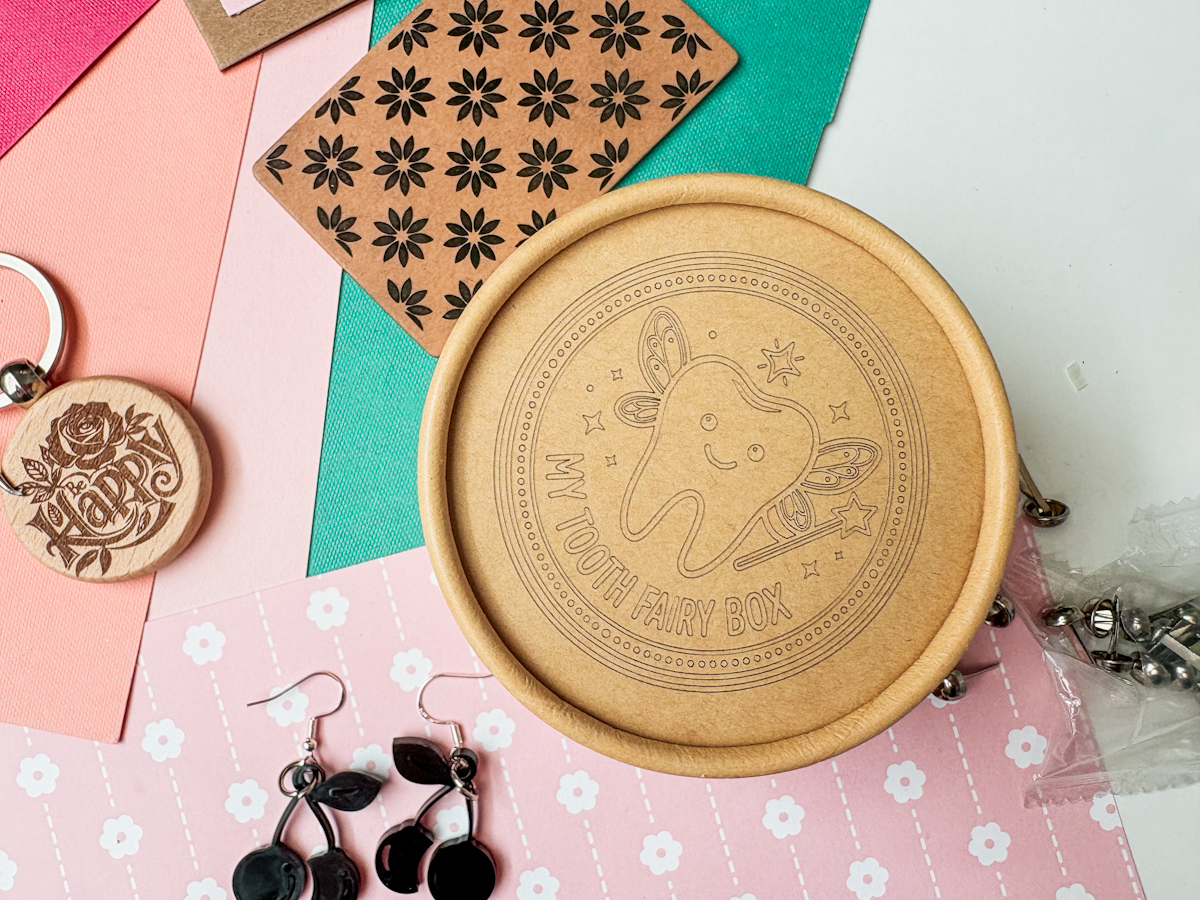
The AI design feature inside xTool Creative Space was surprisingly useful.
I wanted to create a tooth fairy box featuring a tooth character with wings and a magic wand. After describing the idea, the software generated exactly what I had imagined.
I engraved the design onto a wooden box lid in just a few minutes.
For anyone selling personalised gifts, this opens up endless creative possibilities.
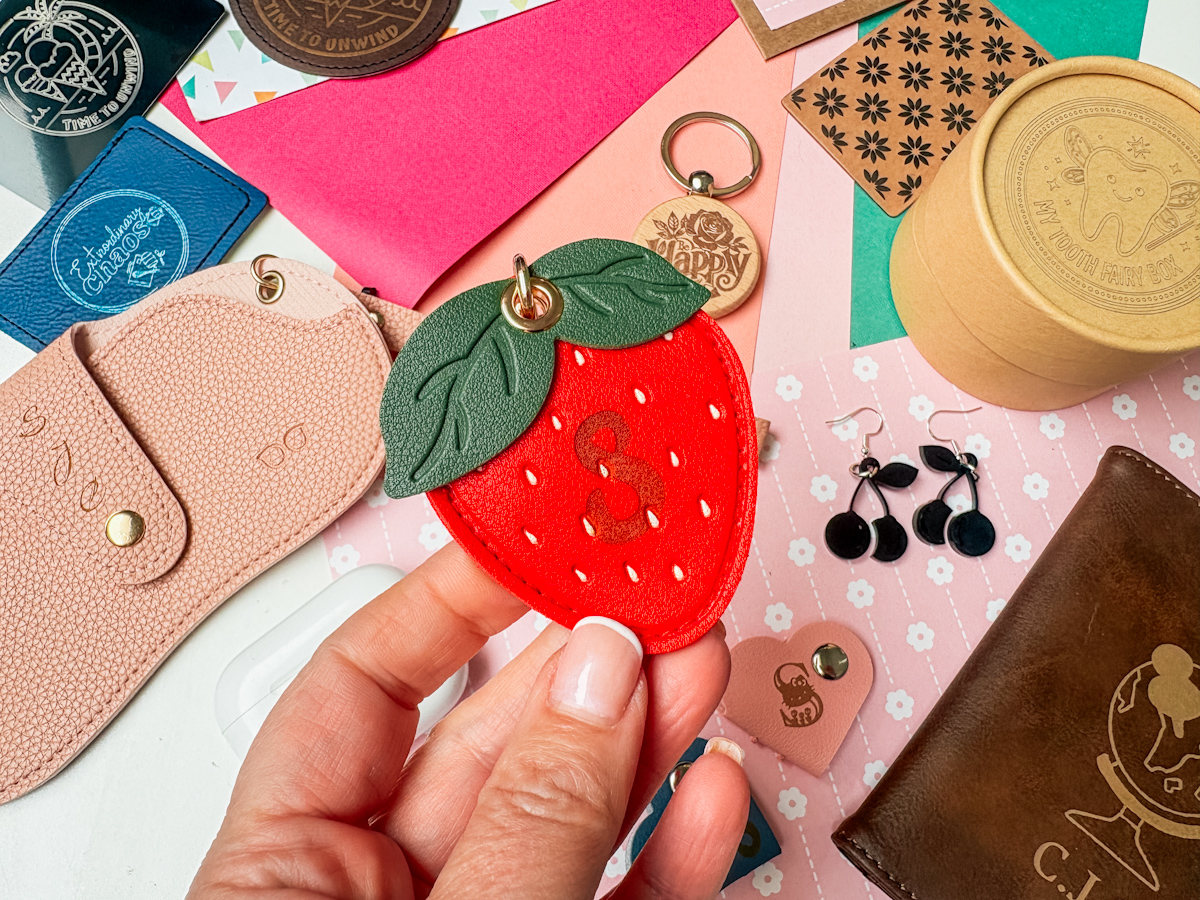
Leather Engraving Projects
One area where the xTool F2 really impressed me was leather engraving.
I created:
- Glasses cases
- Passport covers
- Luggage tags
- Cable organisers
- Personalised patches
The engraving was crisp, detailed, and extremely fast.
For small business owners attending craft fairs, these products offer fantastic opportunities for on-the-spot personalisation.
Adding initials only takes seconds, making it easy to offer custom products while customers wait.


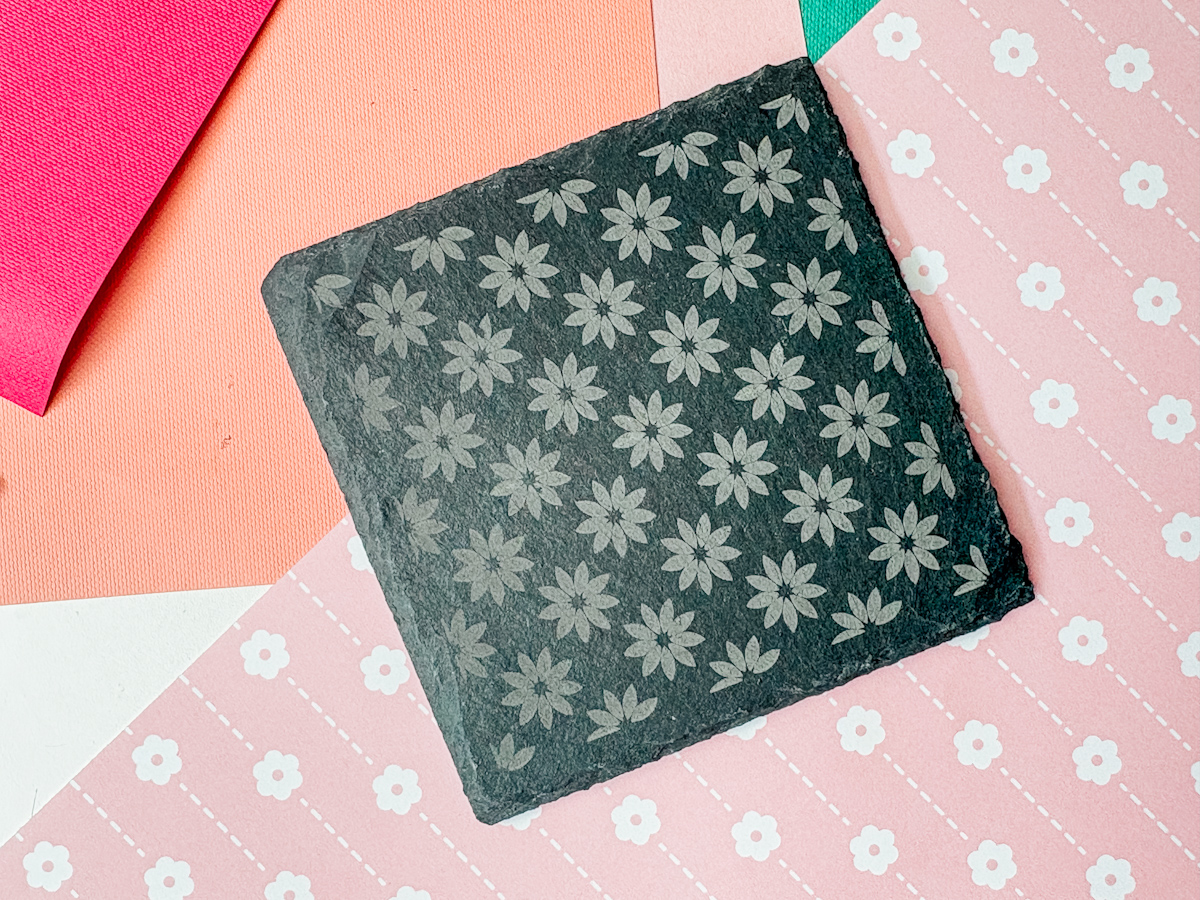
Engraving Slate Coasters
Another project I tested was a slate coaster.
The machine engraved detailed patterns beautifully and surprisingly quickly.
I can easily see these becoming popular products for:
- Wedding gifts
- Housewarming presents
- Pet memorial gifts
- Family photo keepsakes
The detail achieved on slate was excellent and gave a premium finished look.
Metal Business Cards
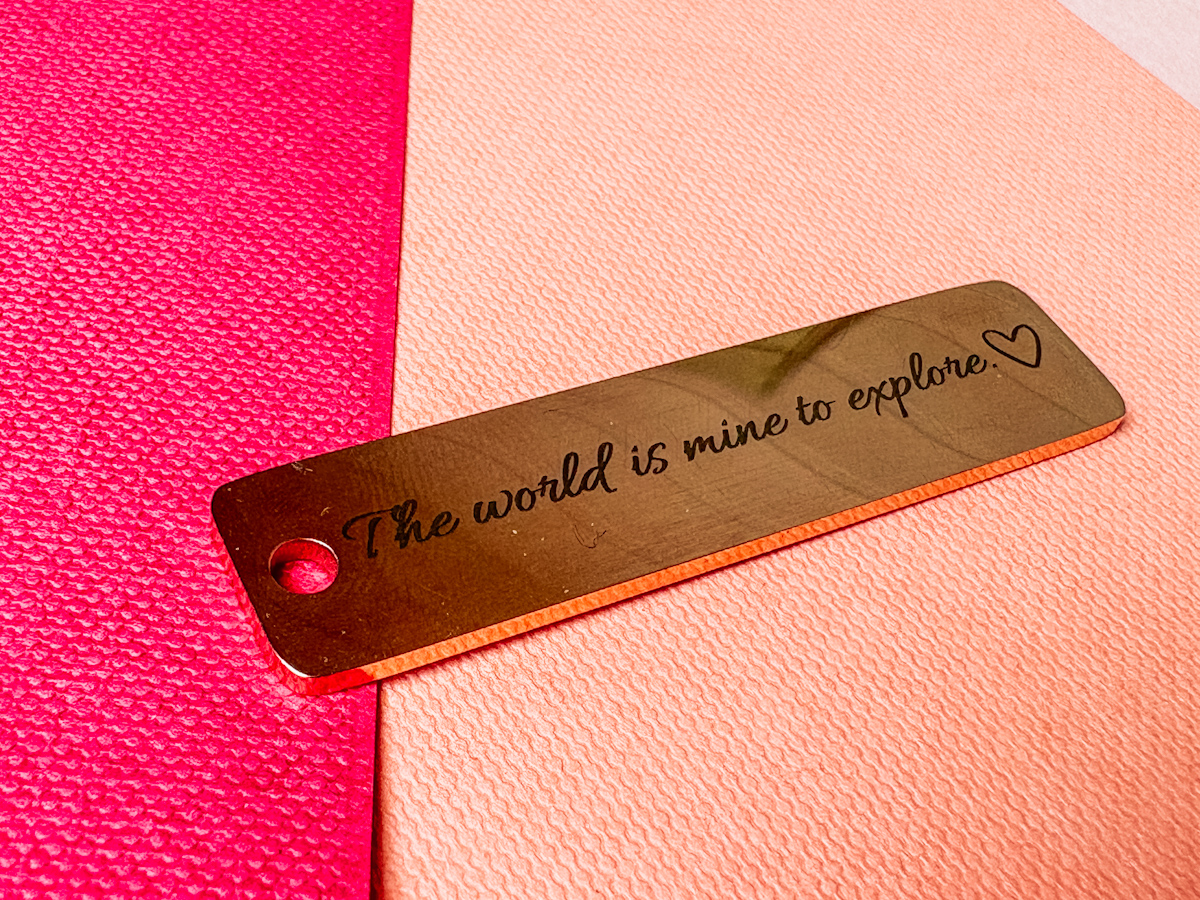
The infrared laser really shines (excuse the pun) when working with metal. I engraved a black metal business card and was amazed by both the speed and the finish. The engraving took around twenty seconds and produced incredibly sharp results.
For creators and small businesses, these personalised business cards could be a fantastic way to stand out.
What About Small Business Use?
Throughout my testing, I kept asking myself one question:
Could this machine help someone make money? And my answer is yes.
The xTool F2 is particularly suited to creating products such as:
- Personalised keyrings
- Acrylic earrings
- Passport covers
- Luggage tags
- Gift boxes
- Coasters
- Leather accessories
- Business branding products
- Wedding gifts
- Corporate gifts
The speed of production means many items can be personalised while customers browse a craft fair stall.
That creates opportunities for higher-value sales and repeat customers.
What I Loved Most
Versatility
This machine feels like several machines in one. Being able to switch between acrylic, leather, wood, slate, and metal opens up endless creative possibilities.
Compact Design
For smaller craft rooms, the footprint is fantastic.
Camera System
The integrated camera and framing system make setup simple and accurate.
Personalisation Potential
Whether you’re creating gifts for family or products to sell, personalisation is quick and easy.
Great for Crafters
Unlike many laser reviews that focus purely on woodworking, I found plenty of uses that fit naturally into card making, scrapbooking, gift making, and papercraft projects.

Things to Consider
No review would be complete without mentioning a few considerations. The machine is an investment, with pricing typically starting around £1,200 depending on bundles and accessories.
You’ll also need to ensure proper ventilation when working with certain materials.
During one basswood project, I noticed more fumes because the material extended beyond the enclosed working area. In future, I’ll simply cut materials down to size beforehand to keep everything enclosed. As with any laser machine, safe operation and ventilation are essential. And the desktop fan take care of this very well.

Is the xTool F2 Worth It?
After spending a week testing the xTool F2, I can honestly say I’ve been impressed. It’s compact, versatile, easy to use, and capable of producing professional-quality results across a wide range of materials.
For hobby crafters, it opens up creative opportunities that simply aren’t possible with traditional crafting machines. And for small business owners, it offers countless ways to create personalised products that can be sold online or at craft fairs.
Most importantly, it fits beautifully alongside existing crafting hobbies such as card making, scrapbooking, gift making, and paper crafting.
The Xtool F2 Has Surprised Me In The Best Possible Way
I expected a portable laser machine to involve compromises, but instead I found a machine that delivers impressive cutting and engraving performance while remaining compact enough for a typical craft room. Plus the option of taking it on the road to craft fairs and events.
Whether you’re looking to create personalised gifts, expand your handmade business, or simply explore a new creative tool, the xTool F2 is well worth considering.
Overall, I found the xTool F2 to be one of the most beginner-friendly laser machines I’ve used. The combination of user-friendly software, reliable preset settings, and the ability to customise projects as your confidence grows makes it suitable for both hobby crafters and small business owners alike.
I still have plenty more projects planned, including tumblers, batch processing, larger engravings, and deeper personalised items, but based on my experience so far, this little machine has already earned its place in my craft room.
If you’ve been curious about laser engraving and wondering whether a machine like this could work for your crafting style, the answer is probably yes.
Please note I was gifted the xTool F2, but I am genuinely blown away. You will be seeing a lot more of this machine.
